
Lightweight analytics solution built specifically for Framer websites.
Track visitor activity and understand website performance.
No complex setup or external analytics dashboards required.
Designed for Framer creators, designers, and marketers.
Helps improve websites using real user behaviour insights.
#What is Pulse Analytics?
Pulse Analytics is a Framer plugin designed to bring website analytics directly into the Framer ecosystem. It helps creators understand how visitors interact with their websites by providing essential performance insights without requiring complicated tracking setups. Ideal for freelancers, agencies, startups, and businesses building Framer websites, Pulse Analytics makes it easier to measure engagement, analyze traffic, and make data-driven improvements.
#Features ⚡
Website Analytics Tracking: Monitor visitor activity and understand how users interact with your Framer website.
Framer-Native Integration: Works seamlessly within the Framer workflow without complicated external configurations.
Simple Dashboard Experience: View important website insights through an easy-to-understand analytics interface.
Privacy-Friendly Tracking: Designed to provide useful insights while keeping implementation lightweight.
Performance Monitoring: Understand website trends and optimize content based on visitor behavior.
Easy Setup: Add analytics tracking to Framer projects with minimal configuration.
#Included Components/Templates
Analytics tracking integration.
Visitor insights dashboard.
Website performance metrics.
Traffic monitoring tools.
Framer project integration setup.
#Pricing 💸
Available as a Framer plugin with its own pricing model.
Pricing may vary depending on available plans or creator updates.
Users should check the latest Framer Marketplace listing for current pricing details.
#Integrations 🧰
Framer websites.
Framer publishing platform.
Website analytics workflows.
Marketing and conversion tracking tools.
Frequently Asked Questions
What is Pulse Analytics used for?
Pulse Analytics helps Framer users track website visitors and understand performance through analytics insights.
Does Pulse Analytics work with Framer websites?
Yes, it is built specifically for websites created and published with Framer.
Do I need coding knowledge to use Pulse Analytics?
No, the plugin is designed for Framer creators and requires minimal technical setup.
Pulse Analytics: Website Plugin
Simple Framer analytics plugin for tracking website performance.
Resource Types :
.png?width=500&format=auto)
Featured Framer Resources
Add Featured Product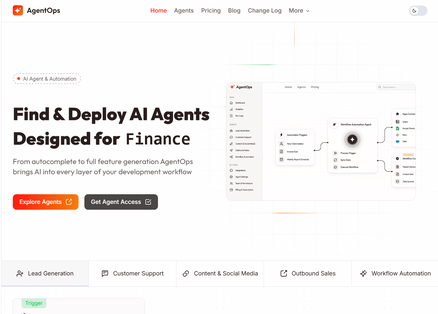
AgentOps - Framer AI Agent Template

Zolt - Portfolio Template


Pure Skin - Framer Skincare Template
Have a product?
Submit your Framer product to AllFramer, get featured, and drive genuine traffic while showcasing your work to the world. Turn your creativity into revenue and begin selling today! 🚀
Submit Resource