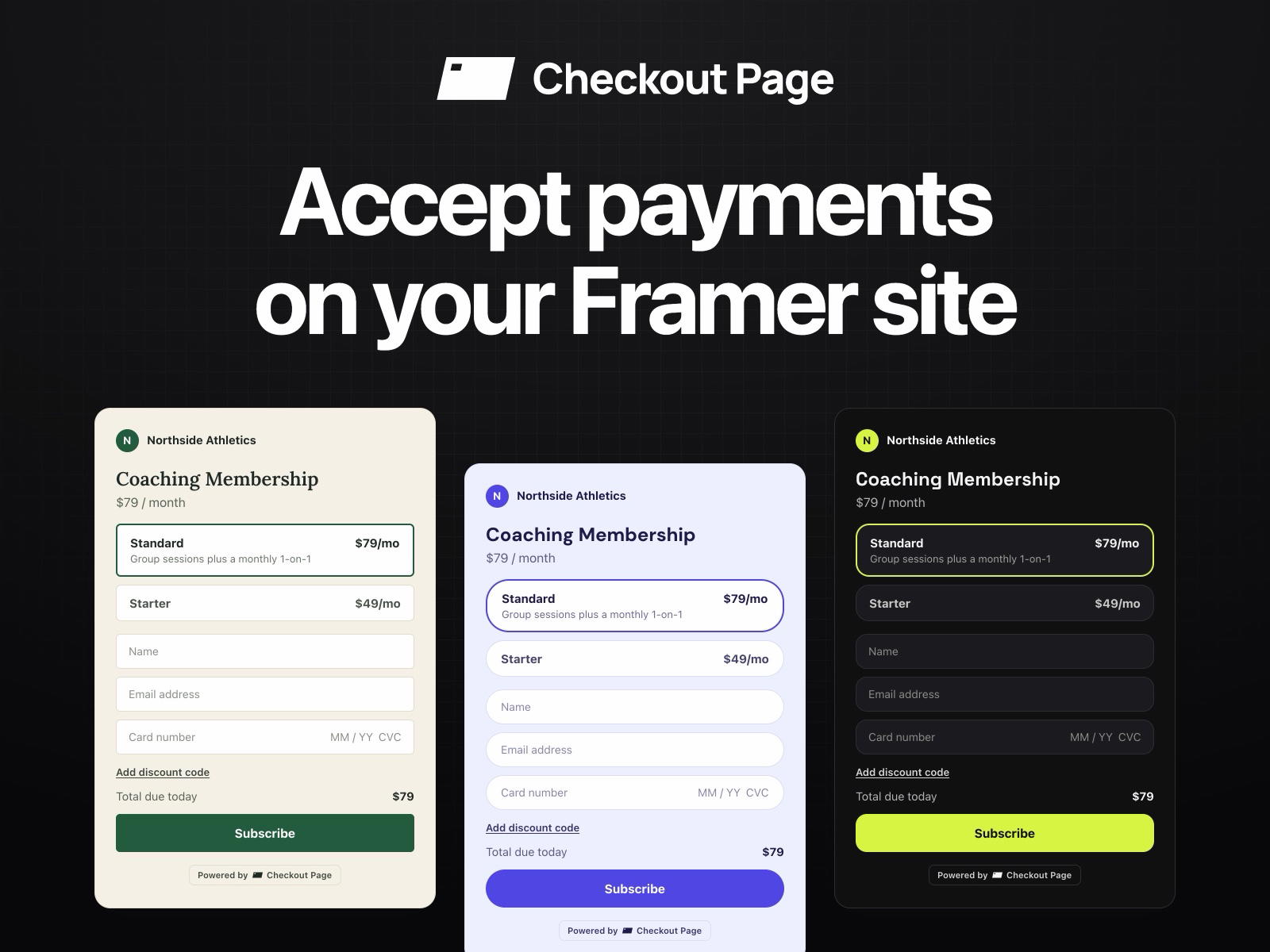
✅ Free Framer plugin for adding payment experiences to websites.
✅ Supports digital products, physical products, subscriptions, and tickets.
✅ Payments are processed through your own Stripe account.
✅ Add checkout buttons, pop-ups, or complete embedded checkout pages.
✅ Fully customizable to match your Framer website branding.
✅ Supports multiple Checkout Page stores from the same plugin.
⚠️ A Checkout Page account is required before adding checkout experiences.
#What is Checkout Page?
Checkout Page is a Framer plugin created by Sander Visser that lets designers, creators, SaaS companies, and businesses accept payments directly from their Framer websites. It connects Framer with Checkout Page and Stripe, allowing users to sell digital or physical products, subscriptions, services, event tickets, and other offers without building a custom payment system. Checkout experiences can be inserted as buttons, pop-ups, or complete embedded checkouts while keeping the design aligned with the website's existing branding.
#Features ⚡
Checkout Pages: Create complete checkout experiences for products and services.
Buy Buttons: Insert customizable payment buttons directly into Framer pages.
Embedded Checkout: Display the entire checkout flow directly inside your website.
Checkout Pop-Ups: Open payment pages in an overlay instead of redirecting visitors.
Subscription Payments: Sell recurring memberships and subscription products.
Digital Products: Sell downloads, courses, resources, and other digital goods.
Physical Products: Accept orders and payments for physical products.
Event Ticketing: Sell tickets with multiple ticket types, add-ons, and sales windows.
Pay What You Want: Allow customers to choose their payment amount.
Forms: Create registration forms, surveys, lead-generation forms, and lead magnets.
Brand Customization: Customize fonts, colors, corners, and light or dark themes.
Framer Property Controls: Adjust button labels, colors, padding, radius, and borders directly inside Framer.
Multiple Stores: Connect multiple Checkout Page stores and switch between them.
Direct Stripe Payments: Revenue goes directly to the connected Stripe account.
#Included Components/Templates
The plugin focuses on inserting existing Checkout Page experiences into Framer rather than providing traditional website templates.
Checkout buttons
Embedded checkout pages
Checkout pop-ups
Product payment pages
Subscription checkout pages
Event checkout pages
Ticket selection experiences
Registration forms
Lead-generation forms
Pay-what-you-want checkout
Customizable Framer components
Inserted checkout buttons behave like normal Framer components and can be styled using Framer's property panel.
#Pricing 💸
The Framer plugin itself is completely free. Checkout Page has separate Free and paid plans based primarily on monthly sales volume.
Framer Plugin: Free
Checkout Page Free: $0/month for up to $3,000 in monthly sales
Launch: $29/month or $290/year
Scale: Starts at $99/month for up to $10,000 in monthly sales
Higher Scale tiers increase according to monthly sales volume
Unlimited: $9,990/year with no sales limit
Stripe processing fees apply separately
The Free plan includes unlimited checkout pages, events, and forms
Paid plans add features such as white-labeling, custom CSS, team members, tracking pixels, upsells, cart recovery, and custom domains.
#Integrations 🧰
Framer
Checkout Page
Stripe
Apple Pay
Google Pay
Link
Cash App
Klarna
Affirm
Afterpay
SEPA
ACH
Google Analytics
Meta Pixel
Zapier
Google Sheets
Webhooks
Frequently Asked Questions
Is the Checkout Page Framer plugin free?
Yes. The plugin itself is completely free to use, although Checkout Page offers optional paid account plans.
Do I need a Checkout Page account?
Yes. You need to connect a Checkout Page account before products, events, or forms can appear inside the plugin.
Does Checkout Page process the payments itself?
No. Payments run through your connected Stripe account, and funds go directly to Stripe before being paid out to your bank account.
Checkout Page: Add Branded Payments Directly to Framer
Sell products and subscriptions directly from Framer.
Resource Types :
.png?width=500&format=auto)
Featured Framer Resources
Add Featured Product
Pure Skin - Framer Skincare Template


Zolt - Portfolio Template

AgentOps - Framer AI Agent Template
Have a product?
Submit your Framer product to AllFramer, get featured, and drive genuine traffic while showcasing your work to the world. Turn your creativity into revenue and begin selling today! 🚀
Submit Resource