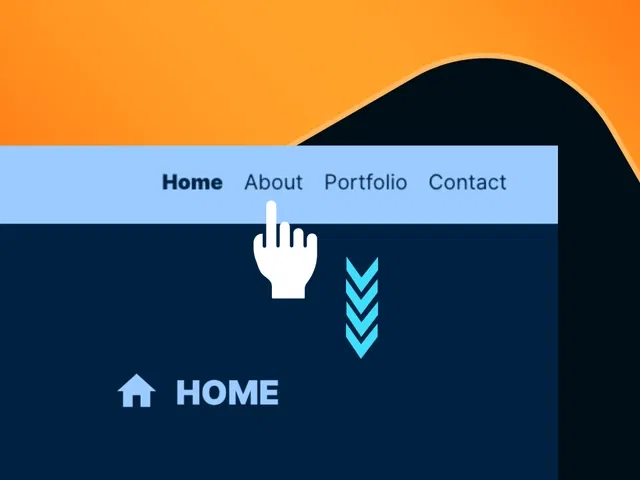
Fixed/sticky navbar that stays visible while scrolling the full page
Automatic active link highlighting based on current scroll section
Smooth scroll-to-section behavior when clicking nav items
Subtle active state animations (underline, color change, scale) via variants
Responsive design—navbar adapts (mobile menu collapse, breakpoint tweaks)
Native Framer tools (sticky positioning, scroll effects, variants, interactions) for no-code build
Narrated video with live canvas demo, scroll section setup, active state logic, and real-time testing
#What is This Course?
"Sticky Nav Scroll" is a free video tutorial on the Framer Marketplace, created by a practical designer/educator (community contributor). This framer resource intermediate-level video demonstrates how to build a clean, modern sticky navigation bar for one-page sites—complete with scroll section detection, active link highlighting, and smooth anchor scrolling. Through narrated screen recordings with live page setup, zooms on sticky positioning, scroll effects panel, variants for active states, interaction triggers, and real-time scroll testing, it covers creating scroll sections, making the nav sticky, linking nav items to sections, detecting active section via scroll progress, styling active states, and ensuring responsiveness. Video length is likely 10–18 minutes (typical for Marketplace navigation tutorials), with pause-friendly pacing for hands-on replication. No duplicatable project is explicitly noted in listings, but the tutorial is designed for direct implementation in your own one-page Framer site. It’s especially valuable for designer-developers building portfolios, SaaS landings, agency pages, or any single-page experience—adding intuitive navigation that guides users effortlessly and looks premium.
#What You’ll Learn ⚡
Setting up scroll sections (named anchors) and linking nav items to jump smoothly
Making the navbar sticky/fixed while scrolling using Framer’s position controls
Detecting current active section with scroll progress or intersection observers
Creating active link states (underline, color change, scale) via variants and interactions
Adding subtle transition animations for active state changes
Ensuring responsive behavior (mobile menu collapse, breakpoint adjustments)
#Who Is This For?
This video tutorial is perfect for Framer users designing one-page sites—ideal if your navigation disappears on scroll or active sections aren’t highlighted.
Skill Level: Intermediate—assumes comfort with pages, links, and variants
Prior Knowledge Needed: Basic Framer page setup, components, interactions, scroll effects
Use Case 1: One-page portfolios, agency sites, SaaS product landings, or personal brand pages
Use Case 2: Long-form storytelling, service pages, or event sites with multiple sections
Pain Point Solved: Nav floats away on scroll—make it sticky and always accessible
Pain Point Solved: No visual feedback on current section—add clear active highlighting
Bonus Fit: Designers building scroll-heavy or single-page experiences wanting pro navigation
#Course Structure Breakdown
This video tutorial flows as a live, narrated build-along—screen recording with canvas zooms, page/scroll section setup, sticky positioning controls, variants panel, interaction triggers, and real-time scroll testing for easy pausing/replication.
Intro / Recap / Problem Statement: Hooks with why sticky nav + active highlighting is essential for one-page UX, explains common pain points, and previews the polished final result
Main Demo Sections: Create scroll sections (named anchors), build navbar component, make it sticky/fixed
Key Live Examples or Walkthroughs: Link nav items to sections (smooth scroll-to), detect active section (scroll progress or intersection), set active variants (underline/color/scale)
Tips / Best Practices: Use spring easing for smooth jumps, test active detection accuracy, add mobile menu collapse, ensure accessibility (keyboard nav, focus states)
Wrap-up / Encouragement: Shows final sticky nav in full-page scroll action (highlighting sections), celebrates intuitive UX win, and encourages applying to your own one-pager.
Frequently Asked Questions
How does Framer know which section is active?
Using scroll progress (viewport percentage) or intersection observers—tutorial shows the simplest reliable method with scroll effects.
Can the navbar change style when sticky (e.g., shadow, background)?
Yes—use scroll position to trigger variant change (sticky state); video likely covers this enhancement.
Will smooth scroll-to work on mobile?
Yes—Framer’s scroll-to is native and touch-friendly; tutorial includes mobile testing.
Sticky Nav & Scroll
Build a professional sticky navigation bar for one-page
Resource Types :
Featured Framer Resources
Add Featured Product



Have a product?
Submit your Framer product to AllFramer, get featured, and drive genuine traffic while showcasing your work to the world. Turn your creativity into revenue and begin selling today! 🚀
Submit Resource





