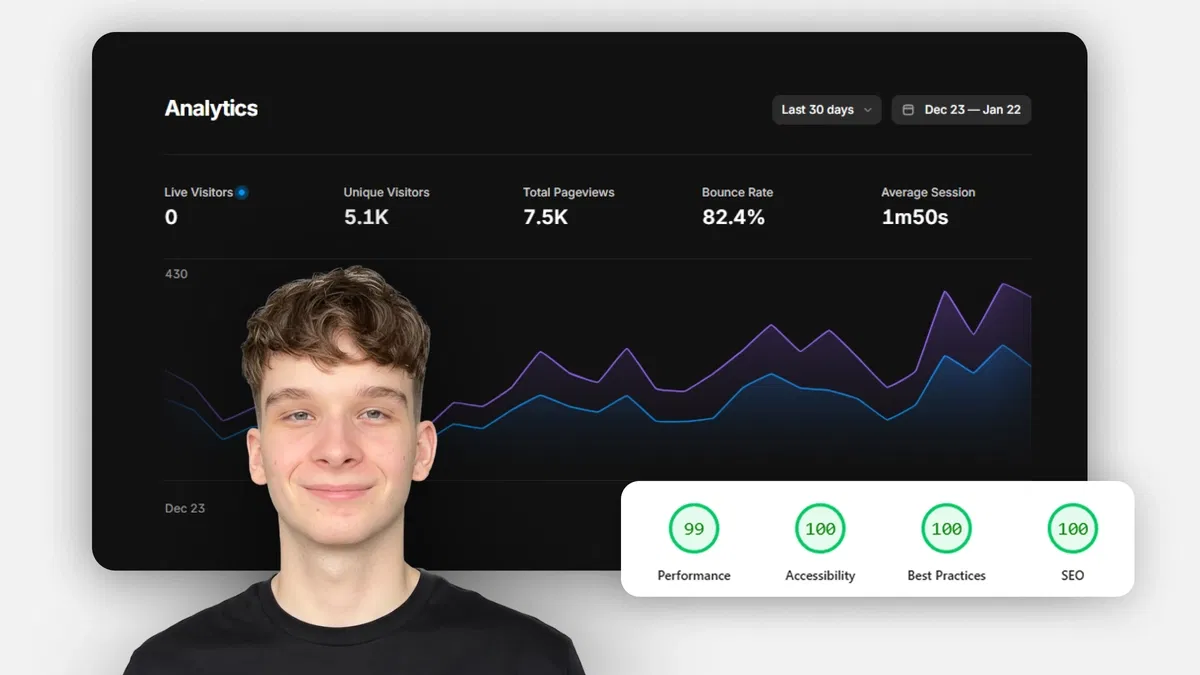
Framer-specific coverage of on-site SEO essentials (titles, metas, headings, alt text, structure)
Practical use of native panels (Page Settings for SEO, Styles for semantics, Accessibility for alt text)
Emphasis on quick, no-code wins that improve crawlability and rankings
Examples showing before/after impact on SERP appearance and site understanding
Text-based tutorial with clear steps, tips, and Framer editor references for immediate application
#What is This Course?
"SEO Basics" is a free, text-based tutorial on the Framer Marketplace, created by Adam Sebesta (@adam-sebesta) as part of the "How to Use Framer Templates" series. This framer resource introduces the most important on-site SEO fundamentals tailored to Framer—helping beginners make their sites findable on Google and other search engines without advanced tools. The guide explains why SEO matters (visibility = traffic), then covers key actions: setting page titles/descriptions, using proper headings, adding alt text, applying semantic structure, and basic optimization tips. Structured as a practical article with explanations, steps, and examples, it leverages Framer's Page Settings, Styles panel, and Accessibility features for no-code implementation. No video runtime or duplicatable project is explicitly noted, but it's designed for direct use in any Framer template or project. It's invaluable for new Framer users or template customizers—laying the SEO foundation early so sites rank better from day one with minimal effort.
#What You’ll Learn ⚡
Setting effective page titles and meta descriptions in Framer's Page Settings for better SERP display
Using semantic headings (H1-H6) in the Styles panel to create proper content hierarchy for crawlers
Adding meaningful alt text to images via the Accessibility panel for accessibility and image search visibility
Applying basic semantic structure (header, main, section, footer tags) to improve page understanding
Simple optimization tips (URL slugs, mobile-friendliness, fast loading) using Framer's native controls
#Who Is This For?
This tutorial is perfect for Framer beginners ready to make their sites discoverable—ideal if you've built something beautiful but it's not showing up in search.
Skill Level: Beginner—assumes basic Framer editing knowledge
Prior Knowledge Needed: Comfort with page settings, text elements, and images (covered in earlier series parts)
Use Case 1: Optimizing personal portfolios, landing pages, or business sites for organic traffic
Use Case 2: Customizing Marketplace templates with SEO basics before client launch
Pain Point Solved: "My site isn't found on Google"—fix core on-site issues quickly
Pain Point Solved: SEO feels overwhelming—follow a simple, Framer-tailored intro
Bonus Fit: Anyone in Adam Sebesta's "How to Use Framer Templates" series progressing toward launch-ready projects
#Course Structure Breakdown
This text-based tutorial flows as a logical, beginner-friendly guide—easy to follow with your Framer project open, starting with SEO importance and moving through key actions.
Intro / Recap / Problem Statement: Explains SEO basics (on-site focus for Framer users), why it matters for visibility, and promises simple, native steps
Main Demo Sections: Core topics: page titles & meta descriptions (Page Settings), headings & hierarchy (Styles panel)
Key Live Examples or Walkthroughs: Alt text for images (Accessibility panel), semantic structure (header/main/section/footer tags), and basic tips (URLs, speed)
Tips / Best Practices: Highlights one H1 per page, descriptive alt text, clean slugs, and mobile checks—includes pro advice throughout
Wrap-up / Encouragement: Reinforces that these basics give a strong SEO start—encourages applying to your template and continuing the series
Frequently Asked Questions
What is "on-site SEO" and why focus on it in Framer?
On-site SEO is what you control directly (titles, content structure, speed)—Framer makes it easy with built-in tools; this tutorial covers the essentials that impact rankings most.
Do I need an SEO tool or plugin for these steps?
No—all covered actions use Framer's native panels (Page Settings, Styles, Accessibility)—no extras required.
How many headings should I use per page?
One H1 for the main title, then H2 for major sections, H3 for subsections—the tutorial recommends logical hierarchy.
SEO Basics
Boost your Framer site's discoverability right from launch
Resource Types :
Featured Framer Resources
Add Featured Product



Have a product?
Submit your Framer product to AllFramer, get featured, and drive genuine traffic while showcasing your work to the world. Turn your creativity into revenue and begin selling today! 🚀
Submit Resource





