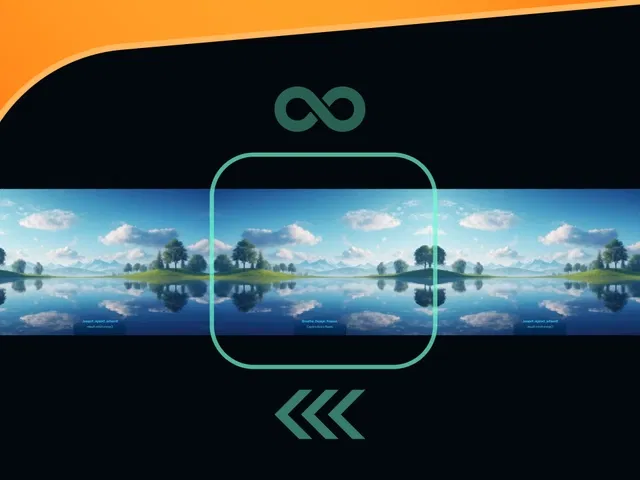
True seamless horizontal loop using duplicated images and clever positioning
Smooth infinite scrolling animation with customizable speed and direction
Native Framer scroll effects or variants + animation for continuous motion
Image prep tips (seamless tiling with Firefly or Photoshop) to avoid visible seams
Responsive behavior that adapts to viewport width without breaking the loop
Narrated video with live canvas setup, image duplication, animation timing, and preview testing
#What is This Course?
"Seamless Background Image Loop" is a free video tutorial on the Framer Marketplace, created by a featured designer/animator (community contributor). This framer resource intermediate-level video teaches how to build a professional-grade infinite sliding background animation using just one seamless image (prepared in Adobe Firefly or similar). Through narrated screen recordings with live canvas building, zooms on layers panel, scroll effects or animation timeline, and real-time preview testing, it covers image preparation for seamless tiling, duplicating and positioning images, setting up continuous left/right motion, syncing speed/direction, and making it responsive. Video length is likely 10–18 minutes (typical for Marketplace animation tutorials), with pause-friendly pacing for replication. No duplicatable project is explicitly noted in listings, but the tutorial is designed for direct hands-on building in your own Framer canvas. It’s especially valuable for designer-developers creating cinematic or atmospheric site sections—adding subtle movement that elevates UX and draws attention without performance cost.
#What You’ll Learn ⚡
Preparing a single image for seamless horizontal tiling (using Firefly, Photoshop, or other tools)
Duplicating and positioning two instances of the image to create a perfect loop
Setting up infinite horizontal sliding animation (left or right) with Framer’s scroll effects or keyframe animation
Tuning speed, easing, and timing for smooth, cinematic motion
Making the background responsive (viewport width adaptation, no visible seams or jumps)
#Who Is This For?
This video tutorial is ideal for Framer users wanting dynamic, immersive backgrounds—perfect if your hero sections feel static or you want that premium looping parallax vibe.
Skill Level: Intermediate—assumes comfort with Framer layers, animations, and basic transforms
Prior Knowledge Needed: Basic Framer canvas, images, scroll effects or animation timeline
Use Case 1: Full-screen hero backgrounds for portfolios, agencies, or creative studios
Use Case 2: Subtle moving backdrops in product showcases, landing pages, or storytelling sites
Pain Point Solved: Static backgrounds lack energy—add endless sliding motion for immersion
Pain Point Solved: Visible seams or jumps in loops—learn proper seamless tiling and duplication
Bonus Fit: Designers inspired by cinematic web trends wanting Framer-native execution
#Course Structure Breakdown
This video tutorial flows as a live, narrated build-along—screen recording with canvas zooms, layers panel focus, animation/scroll effects setup, and real-time preview testing for easy pausing/replication.
Intro / Recap / Problem Statement: Hooks with the hypnotic appeal of seamless sliding backgrounds, explains why one image + loop is powerful, introduces Firefly for tiling prep
Main Demo Sections: Generate or prepare seamless image (Firefly tips), upload to Framer, duplicate image layer and position side-by-side for loop
Key Live Examples or Walkthroughs: Set up continuous horizontal animation (scroll effects or keyframes), tune speed/direction/easing, preview infinite loop
Tips / Best Practices: Ensure perfect seam alignment, use viewport units for responsiveness, optimize image size for performance, test on mobile
Wrap-up / Encouragement: Shows final seamless sliding background in full scroll preview, celebrates immersive feel, and encourages experimenting with direction/speed
Frequently Asked Questions
Do I need to create the seamless image myself?
Yes—the tutorial shows using Firefly (or Photoshop) to make a tileable image; a good seamless tile is key to no visible jumps.
Can the animation go left or right, or both directions?
Yes—set scroll direction or keyframe direction; video likely demos both options and reversing.
Will this work well on mobile devices?
Yes—Framer animations are responsive; tutorial covers viewport scaling and mobile testing to keep it smooth.
Seamless BG Img Loop
Create an endless, buttery-smooth sliding background animation
Resource Types :
Featured Framer Resources
Add Featured Product



Have a product?
Submit your Framer product to AllFramer, get featured, and drive genuine traffic while showcasing your work to the world. Turn your creativity into revenue and begin selling today! 🚀
Submit Resource





