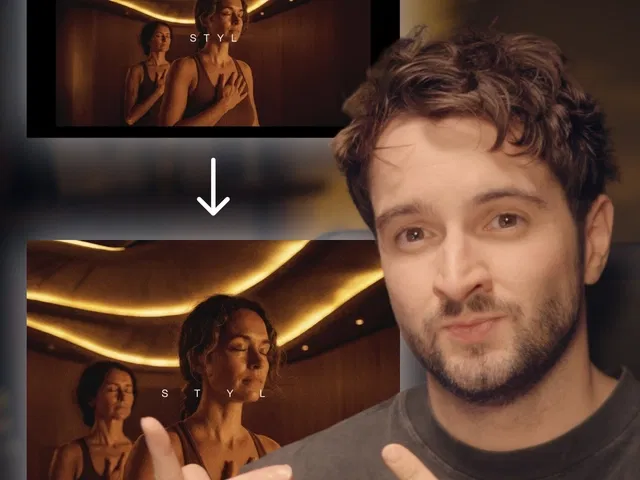
Super simple scroll-triggered animations using Framer’s native scroll effects
Smooth fades, opacity changes, scale transforms, and Y/X movement on scroll progress
Parallax-style depth with different scroll speeds per layer
Easy reveal animations (elements appear from off-screen or fade in)
Hover/click optional enhancers for extra interactivity
Responsive by default—effects adapt across devices and breakpoints
Narrated video with live canvas demo, scroll effects panel focus, and real-time scroll preview testing
#What is This Course?
"Scroll Animation" is a free video tutorial on the Framer Marketplace, created by a practical designer/educator (community contributor). This framer resource beginner-to-intermediate video demonstrates how ridiculously easy it is to add smooth, immersive scroll animations in Framer—perfect for creating that "wow" moment as users scroll through your page. Delivered through narrated screen recordings with live element placement, zooms on the scroll effects panel, progress linking, transform settings, easing curves, and real-time scroll preview testing, it covers the simplest yet most effective techniques: opacity fades, scale on scroll, parallax shifts, slide-in reveals, and basic motion paths. Video length is likely 8–15 minutes (short and focused, typical for Marketplace scroll tutorials), with clear pacing and pause-friendly steps for instant replication. No duplicatable project is explicitly noted in listings, but the tutorial is designed for direct building in your own Framer canvas or template. It’s especially valuable for designer-developers who want to elevate any page—adding depth, storytelling, and premium polish with almost zero complexity.
#What You’ll Learn ⚡
Linking any element’s properties (opacity, scale, translateY/X, rotate) to scroll progress (0–100%)
Creating smooth fade-in and reveal animations as sections enter the viewport
Building basic parallax effects by assigning different scroll speeds to layered elements
Applying easing curves and spring physics for natural, buttery-smooth motion
Combining multiple transforms (e.g., fade + scale + slide) in one scroll trigger
Testing scroll animations live in Framer’s preview mode across devices
#Who Is This For?
This video tutorial is perfect for Framer users who want scroll to feel magical and modern—ideal if your pages feel flat or you’ve been avoiding scroll effects because they seem complicated.
Skill Level: Beginner to intermediate—accessible even with basic Framer knowledge
Prior Knowledge Needed: Comfort adding elements and using the right properties panel
Use Case 1: Hero sections, feature storytelling, or case study reveals with scroll-driven motion
Use Case 2: Portfolio project intros, product benefit sections, or long-form landing pages
Pain Point Solved: Static scrolling lacks energy—add immersive animations in minutes
Pain Point Solved: Scroll effects feel intimidating—follow the super easy native method
Bonus Fit: Designers building SaaS, agency, creative, or portfolio sites wanting premium scroll feel
#Course Structure Breakdown
This video tutorial flows as a short, practical build-along—narrated screen recording with canvas zooms, scroll effects panel focus, transform settings, easing tweaks, and real-time scroll previews for easy pausing/replication.
Intro / Recap / Problem Statement: Hooks with how scroll animations instantly level up UX, explains why Framer makes them super easy, and previews the immersive result
Main Demo Sections: Add elements to scroll container, open scroll effects panel, link opacity/scale/translate to scroll progress
Key Live Examples or Walkthroughs: Create fade-in reveal, basic parallax (foreground vs. background speeds), slide-up on scroll, combine transforms for richer motion
Tips / Best Practices: Use viewport progress for timing, tune easing/spring for natural feel, test on mobile, keep effects subtle, avoid over-animating
Wrap-up / Encouragement: Shows final scroll animation in full-page preview, celebrates the immersive storytelling power, and encourages applying to your own sections
Frequently Asked Questions
Is this scroll animation hard to set up?
No—the tutorial emphasizes how super easy Framer’s scroll effects make it; most effects take just a few clicks.
Can I combine multiple animations on one element?
Yes—link opacity + scale + translate to the same scroll progress; video shows stacking transforms cleanly.
Will these effects work smoothly on mobile?
Yes—Framer scroll effects are responsive and performant; tutorial includes mobile preview testing.
Scroll Animation
Create smooth, immersive scroll-driven animations in Framer
Resource Types :
Featured Framer Resources
Add Featured Product



Have a product?
Submit your Framer product to AllFramer, get featured, and drive genuine traffic while showcasing your work to the world. Turn your creativity into revenue and begin selling today! 🚀
Submit Resource





