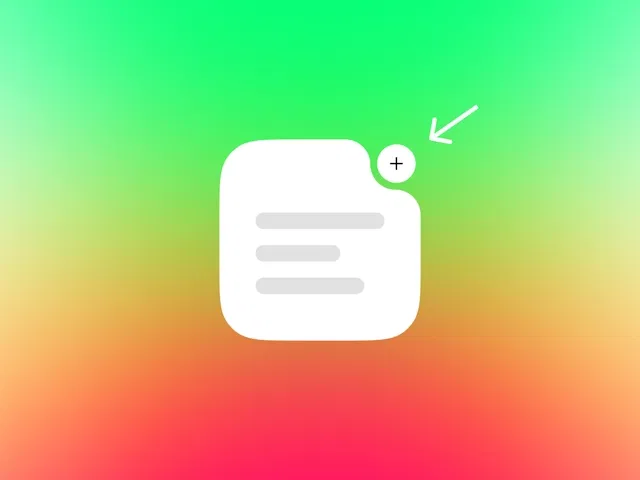
Pure no-code inverted corner creation using Framer’s native mask, clip-path, or overlay techniques
Multiple methods shown (mask with circle/rectangle cutouts, layered frames, absolute positioning)
Fully responsive—corners stay perfect across all breakpoints
Customizable radius, depth, color, and shadow integration for brand-matched styling
Clean, maintainable structure—no detached layers or performance-heavy hacks
Narrated video with live canvas demos, mask/clip-path panel zooms, and real-time preview testing
#What is This Course?
"Inverted Corners" is a free video tutorial on the Framer Marketplace, created by a practical designer/educator (community contributor). This framer resource concise, beginner-to-intermediate video demonstrates several no-code techniques to achieve beautiful inverted (negative/concave) corners in Framer—perfect for giving cards, sections, or backgrounds that trendy architectural cut-out look. Delivered through narrated screen recordings with live canvas building, zooms on mask/clip-path settings, layering tricks, and immediate preview results, it covers the most reliable methods: using masks with circle/rectangle cutouts, absolute overlays, and clever frame subtraction. Video length is likely 6–12 minutes (typical for Marketplace quick-effect tutorials), with clear pacing and pause-friendly steps for instant replication. No duplicatable project is explicitly noted in listings, but the techniques are universal and apply directly in any Framer project or template. It’s especially valuable for designer-developers who want modern, sophisticated negative space—elevating UI elements with minimal effort and no code.
#What You’ll Learn ⚡
Using Framer’s mask feature to cut inverted circular or rounded rectangular corners from any element
Creating inverted corners via absolute-positioned overlay frames with background matching
Combining clip-path or subtractive layering for precise negative corner shapes
Ensuring responsiveness—negative corners adapt perfectly across breakpoints
Adding polish (shadows, borders, hover effects) to make inverted corners feel intentional and premium
#Who Is This For?
This video tutorial is perfect for Framer users who want architectural depth without complexity—ideal if your cards or sections feel too boxy or you love that modern inverted-corner aesthetic.
Skill Level: Beginner to intermediate—great even with basic frame/mask knowledge
Prior Knowledge Needed: Comfort with Framer frames, masks, absolute positioning, and layering
Use Case 1: Styling feature cards, testimonial blocks, or pricing tiers with inverted corners
Use Case 2: Creating hero sections, navigation bars, or full-width backgrounds with elegant cut-outs
Pain Point Solved: No native inverted corner tool—simulate it cleanly and responsively
Pain Point Solved: Overlaps or cutouts look messy—learn precise mask/layer techniques
Bonus Fit: Designers customizing templates or building premium SaaS/product UI
#Course Structure Breakdown
This video tutorial flows as a short, focused quick-tip demo—narrated screen recording with canvas zooms, mask/clip-path panel focus, layering walkthrough, and real-time previews for easy pausing/replication.
Intro / Recap / Problem Statement: Hooks with the modern appeal of inverted corners (negative space, sophistication), explains why Framer needs a workaround, promises multiple no-code methods
Main Demo Sections: Method 1: Mask with circle/rounded rectangle cutout; Method 2: Absolute overlay frame subtraction
Key Live Examples or Walkthroughs: Apply inverted corners to cards/sections, add shadows/borders, test responsiveness across breakpoints
Tips / Best Practices: Match background colors exactly, use relative units for radius, ensure z-index order, avoid over-nesting for maintainability
Wrap-up / Encouragement: Shows final inverted corner designs in context, celebrates clean premium look, and encourages applying to your own elements
Frequently Asked Questions
Why doesn’t Framer have a built-in inverted corner option?
It’s a CSS limitation (border-radius can’t do negative easily)—tutorial shows reliable no-code workarounds using masks and layering.
Which method is best—mask or overlay?
Mask is cleaner for simple circles; overlay gives more shape flexibility—video compares both and explains trade-offs.
Will inverted corners break on mobile or different screen sizes?
No—if using relative units and testing breakpoints; tutorial emphasizes responsive-safe setup.
Inverted Corners
Create sleek, modern inverted corner effects in Framer without code
Resource Types :
Featured Framer Resources
Add Featured Product



Have a product?
Submit your Framer product to AllFramer, get featured, and drive genuine traffic while showcasing your work to the world. Turn your creativity into revenue and begin selling today! 🚀
Submit Resource





