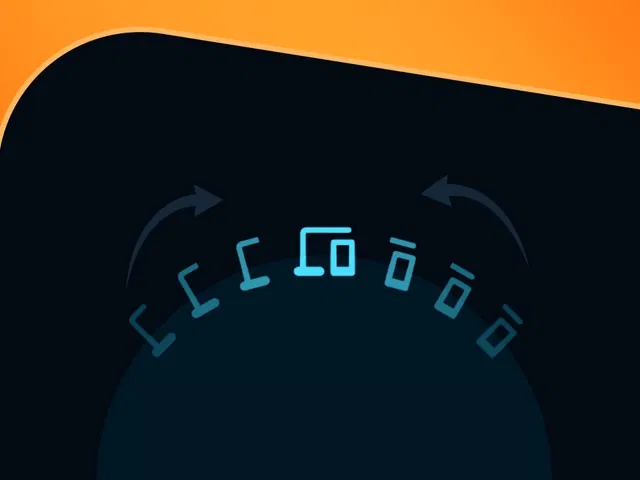
Split half-icon design that unites into full icons on scroll
Circular animation reveal synced with scroll position
Scroll-jacking technique to control content flow and timing
Smooth, spring-based motion for natural merging feel
Native Framer scroll effects, variants, and interactions for no-code/low-code build
Narrated video with live canvas demo, scroll preview testing, and motion tuning
#What is This Course?
"Half Icons Unite" is a free video tutorial on the Framer Marketplace, created by a talented designer/animator (exact creator name often community-featured). This framer resource creative, intermediate-level video walks through building an eye-catching scroll animation: half-icons positioned on either side that merge into complete icons at the top as users scroll, paired with circular reveal effects and scroll-jacked content that flows in sync. Delivered through narrated screen recordings with live canvas construction, zooms on scroll effects panel, variant setup, and real-time preview testing, it covers icon splitting, scroll linking, circular masks/transitions, motion curves, and timing polish. Video length is likely 10–20 minutes (typical for Marketplace animation tutorials), with pause-friendly pacing for replication. No duplicatable project is explicitly noted in listings, but the tutorial is designed for hands-on building directly in your Framer canvas. It's especially valuable for designer-developers crafting portfolios, landing pages, or narrative sites—adding memorable, high-end scroll storytelling that differentiates your work.
#What You’ll Learn ⚡
Designing and positioning half-icon pairs (left/right splits) that animate to unite at screen top
Using scroll effects to drive merging motion (translate, scale, opacity) tied to viewport progress
Implementing circular reveal animations (masks, clip paths, or scale) synced with scroll
Applying scroll-jacking techniques to control content reveal timing and flow
Tuning spring-based transitions and easing curves for buttery-smooth, natural-feeling movement
#Who Is This For?
This video tutorial is ideal for Framer users ready to push creative scroll animations—perfect if your sites feel static or you want standout storytelling moments.
Skill Level: Intermediate—assumes comfort with scroll effects and variants
Prior Knowledge Needed: Basic Framer scroll interactions, components, masks/clipping
Use Case 1: Portfolio hero sections or product feature reveals with merging brand icons
Use Case 2: Narrative landing pages or case studies where scroll drives visual storytelling
Pain Point Solved: Flat scroll experiences—add cinematic merging animation for engagement
Pain Point Solved: Complex scroll effects hard to tune—follow guided setup and motion tips
Bonus Fit: Designers inspired by premium web animations wanting Framer-native recreation
#Course Structure Breakdown
This video tutorial flows as a live, narrated build-along—screen recording with canvas zooms, scroll effects panel focus, real-time preview testing, and enthusiastic pacing for pausing/replication.
Intro / Recap / Problem Statement: Hooks with the cool merging half-icons concept, explains scroll-jacking + circular reveal appeal, outlines what you'll build
Main Demo Sections: Prepare half-icons (split design, positioning), set up scroll effects (translate/scale/opacity on progress)
Key Live Examples or Walkthroughs: Add circular reveal (mask/clip or scale), sync content flow with scroll-jacking, tune spring motion and timing
Tips / Best Practices: Use viewport progress for smooth sync, adjust easing/damping for natural feel, test on devices, keep performance light
Wrap-up / Encouragement: Shows final animation in full scroll preview, highlights storytelling impact, and encourages experimenting with your icons
Frequently Asked Questions
What is "scroll jacking" and is it bad?
Here it means controlled scroll-linked animation (not hijacking user scroll)—used tastefully for storytelling; tutorial keeps it smooth and optional.
Do I need custom code for the circular reveal?
Likely minimal—Framer supports masks/clip-paths natively; video shows native or light override approach.
How do I sync icons merging with content reveal?
Tie both to scroll progress (viewport percentage)—tutorial demos linking multiple elements to the same scroll trigger.
Half Icons Unite
Create a captivating scroll-driven animation
Resource Types :
Featured Framer Resources
Add Featured Product



Have a product?
Submit your Framer product to AllFramer, get featured, and drive genuine traffic while showcasing your work to the world. Turn your creativity into revenue and begin selling today! 🚀
Submit Resource





