Ultra-short 1:31 format for instant value and motivation to continue the series
Clear explanation of vectors' ubiquity and importance in UI design
Highlights common pitfalls of unmanaged vectors in growing projects
Sets up practical mindset and workflow expectations for the full Mastering Vectors course
Narrated screen recording style with visual examples to build immediate intuition
#What is This Video Course?
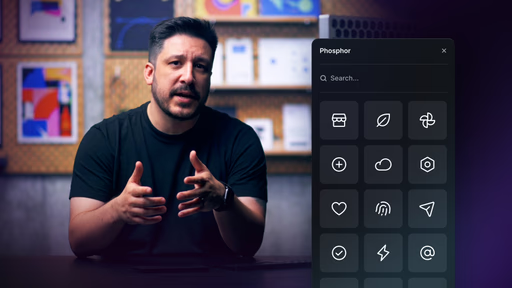
"Getting Started with Vectors in Framer" is the concise introductory lesson in Framer Academy's Mastering Vectors in Framer course series, created by the Framer team and clocking in at just 1:31 for a fast, no-fluff entry point. This framer resource serves as the gateway to the series by explaining what vectors are, why they're essential across UI elements (icons to micro-interactions), and the real challenges of keeping them organized and efficient as projects scale. Delivered through a crisp narrated screen recording with visual demos and key concepts highlighted, it focuses on mindset and overview rather than deep tools—preparing you perfectly for hands-on lessons ahead. No remix project is tied to this intro, but it flows seamlessly into duplicatable starters in later lessons. It's invaluable for designer-developers who want to avoid common vector chaos and build a strong foundation for cleaner UX, better performance, and scalable designs.
#What You’ll Learn ⚡
Why vectors are everywhere in modern UI—from icons and illustrations to loaders, dividers, and interactive elements
How unmanaged vectors create mess and inefficiency as your Framer projects grow larger
The core benefits of mastering vectors in Framer: cleaner workflows, consistent assets, and improved site performance
A high-level preview of practical techniques covered in the series (drawing, organizing, variables, animation)
The right mindset for working smarter with vectors to achieve polished, maintainable results
#Who Is This For?
This ultra-brief lesson is the ideal starting point for anyone diving into Framer's vector capabilities—especially if you've used basic shapes but haven't explored vectors deeply or noticed scaling issues in bigger projects.
Skill Level: Complete beginner to vectors in Framer—pure entry-level intro
Prior Knowledge Needed: Just basic Framer familiarity (canvas, adding elements); zero vector-specific experience required
Use Case 1: Exploring vectors for the first time before creating custom icons or graphics
Use Case 2: Recognizing why your current projects feel cluttered with loose assets and wanting a better system
Pain Point Solved: Not knowing where to start with vectors—get oriented in under 2 minutes
Pain Point Solved: Future-proofing your skills—understand the "why" before investing time in "how"
Bonus Fit: Designers following the full Mastering Vectors series who want context for the progressive lessons ahead
#Course Structure Breakdown
At only 1:31, this video is a laser-focused hook—narrated screen share style keeps it snappy, visual, and motivating, with no wasted seconds as it sets up the entire series.
Intro / Recap / Problem Statement: Jumps straight in with the big picture: vectors are essential in UI but get messy fast—explains their role and the scaling challenges in relatable terms
Main Demo Sections: Brief visual examples of vectors in action (icons, loaders, etc.) paired with narration on why Framer's tools make them powerful when managed right
Key Live Examples or Walkthroughs: Quick showcases of vector use cases on real UI contexts to illustrate importance and potential
Tips / Best Practices: Touches on mindset shifts and workflow expectations—previews key settings and practical approaches covered later
Wrap-up / Encouragement: Ends with a clear tease of the series ahead ("Continue course"), leaving you excited to dive into drawing and beyond
Frequently Asked Questions
Why start with such a short intro lesson instead of jumping into drawing?
It builds crucial context—understanding the "why" (vectors' role + scaling pitfalls) makes the hands-on lessons far more effective and motivating.
Do I need to watch this if I've used vectors in other tools like Figma?
Yes—it's Framer-specific, highlighting native behaviors, settings, and workflow advantages unique to the platform for better integration and performance.
Is there a remix project or file for this lesson?
Not for this intro—it's conceptual. Later lessons in the series (e.g., Drawing with Vectors) include remix projects for practical experimentation.
Getting Started with Vectors
Kick off your vector mastery journey with a quick, clear intro
Resource Types :
Featured Framer Resources
Add Featured Product



Have a product?
Submit your Framer product to AllFramer, get featured, and drive genuine traffic while showcasing your work to the world. Turn your creativity into revenue and begin selling today! 🚀
Submit Resource





