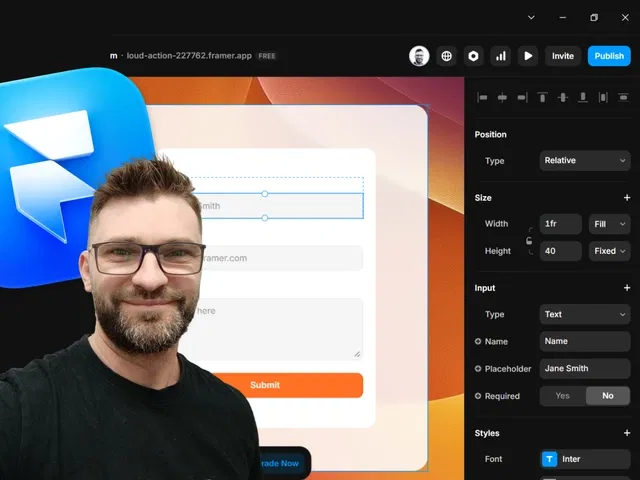
Full styling control over form elements (inputs, labels, buttons, messages) using Framer's design tools
Custom layouts with Stacks, Grids, and spacing for responsive, clean form structure
Variant states for inputs (focus, error, success) and form feedback (submitting, sent, error)
Visual polish: typography, colors, borders, shadows, hover/focus effects matching your brand
Direct Google Sheets connection demo for easy email/lead collection and data management
Narrated video with live canvas building, property panel zooms, and real-time previews
#What is This Course?
"Framer Forms Design" is a free video tutorial on the Framer Marketplace, created by the Framer team or a featured creator (likely tied to Framer Forms plugin ecosystem). This framer resource hands-on video shows how to use Framer Form Builder to create visually stunning, brand-aligned forms and connect them to Google Sheets for effortless email/lead capture. Delivered through narrated screen recordings with live canvas demos, step-by-step styling, variant setup, and integration walkthrough, it covers designing inputs/buttons, adding feedback states, laying out responsive forms, and linking submissions to Sheets for data collection. Video length is likely 10–20 minutes (typical for Marketplace form tutorials), with pause-friendly pacing for following along. No duplicatable project is explicitly noted in listings, but the tutorial encourages building directly in your Framer site. It's invaluable for designer-developers who want forms that don't look generic—combining beautiful design with reliable data capture for newsletters, contact, or lead gen.
#What You’ll Learn ⚡
Styling form inputs, labels, placeholders, and buttons to match your site's typography, colors, and brand
Creating custom variants for input states (default, focus, error, filled) and form-level feedback (submitting, success, error)
Building responsive form layouts using Stacks, padding, gaps, and alignment for clean desktop/mobile display
Connecting Framer Form Builder submissions directly to Google Sheets for automatic email/lead storage
Adding visual polish (borders, shadows, hover effects, success messages) to make forms feel premium and trustworthy
#Who Is This For?
This video tutorial is perfect for Framer users designing forms that need to blend seamlessly with their brand—ideal if default form looks feel off or you want lead capture without third-party styling limitations.
Skill Level: Beginner to intermediate—great with basic Framer styling and components
Prior Knowledge Needed: Comfort with Framer canvas, text/images, variants; familiarity with forms helpful
Use Case 1: Newsletter sign-up or contact forms that match your portfolio or business site design
Use Case 2: Lead generation forms for agencies, products, or events with branded inputs and feedback
Pain Point Solved: Generic-looking forms—customize every visual detail to feel native
Pain Point Solved: Data collection hassle—connect directly to Google Sheets for easy management
Bonus Fit: Anyone using Framer Forms plugin who wants design-focused guidance beyond basic setup
#Course Structure Breakdown
This video tutorial flows as a live, narrated build-along session—screen recording with canvas zooms, properties panel focus, and real-time previews for easy pausing and replication.
Intro / Recap / Problem Statement: Opens with why branded forms matter (trust, conversions), introduces Framer Form Builder, and outlines the design + Google Sheets flow
Main Demo Sections: Add Form Builder component, style inputs (text fields, email, button), customize labels/placeholders
Key Live Examples or Walkthroughs: Set up variants (focus/error/success states), build layout (Stacks for alignment/spacing), add success/error messages
Tips / Best Practices: Match brand colors/typography, ensure responsive stacking, test states in preview, connect to Google Sheets (script/setup demo)
Wrap-up / Encouragement: Shows final styled form submitting to Sheets, highlights UX/conversion wins, and encourages applying to your own site
Frequently Asked Questions
Does this require the Framer Forms plugin?
Yes—the tutorial uses Framer Form Builder (plugin) for advanced styling and Sheets integration; install from Marketplace first.
Can I style forms to match any design system?
Absolutely—full access to Framer styling (colors, fonts, shadows, borders); video shows matching brand examples.
How does Google Sheets connection work?
Form Builder handles submission via script (guided in video)—data lands in a Sheet for easy viewing/export.
Framer forms design
Design beautiful, fully custom forms that look native to your brand
Resource Types :
Featured Framer Resources
Add Featured Product



Have a product?
Submit your Framer product to AllFramer, get featured, and drive genuine traffic while showcasing your work to the world. Turn your creativity into revenue and begin selling today! 🚀
Submit Resource





