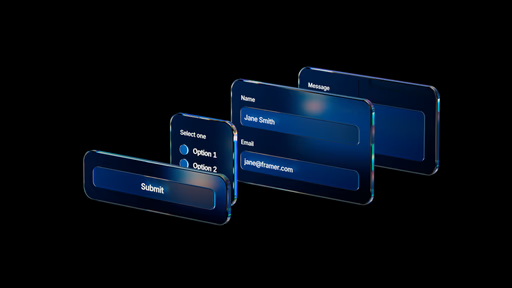
Native Form Builder for drag-and-drop creation of multi-field forms without external tools
Deep customization of inputs (optional props), submit buttons, variants for states (focus, blur, valid/invalid)
Built-in validation logic that reacts in real time as users type
Four practical methods to show form submission status (success/error/loading/feedback)
Concise narrated demos with live canvas applications, real-time previews, and key settings focus
#What is This Video Course?
"Framer Forms" is a beginner-friendly, standalone course in Framer Academy, led by Joseph from the Framer team, totaling 32 minutes across 5 focused lessons (some grouped under modules). This framer resource empowers designers to build interactive, styled forms entirely natively—covering setup, styling, customization, validation, and user feedback—without relying on integrations or code overrides. Delivered through clear narrated screen recordings with step-by-step live demos on actual pages, emphasis on practical workflows, and highlights of essential properties/settings for smooth results. No explicit remix projects are noted, but the hands-on examples make techniques easy to replicate immediately. It's perfect for designer-developers adding reliable contact/lead forms to sites while maintaining full design control and top-notch UX.
#What You’ll Learn ⚡
How to create your first fully functional form using Framer's Form Builder, from basic fields to publishing-ready setup
Customizing form inputs with optional properties (beyond defaults like type/name/placeholder) for advanced control and better user experience
Designing custom submit buttons that match your brand while preserving native submission behavior
Implementing real-time validation and state management via component variants (focus, blur, invalid, valid) that update dynamically
Four effective ways to display form submission status (e.g., success messages, errors, loading states) for clear user feedback
#Who Is This For?
This course is tailored for Framer beginners and intermediate users who need practical, no-code forms on their sites—ideal if you've avoided forms due to complexity or third-party dependencies.
Skill Level: Beginner—starts from the absolute basics of form creation
Prior Knowledge Needed: Basic Framer familiarity (adding elements, styling, canvas navigation); no form or code experience required
Use Case 1: Adding contact, newsletter signup, or feedback forms to portfolios, landing pages, or business sites
Use Case 2: Creating multi-step or custom-styled lead generation forms that feel premium and on-brand
Pain Point Solved: Relying on embeds or external services that slow sites or limit design freedom—go fully native for speed and control
Pain Point Solved: Handling form states/validation manually—use built-in variants and status updates for effortless polish
Bonus Fit: Designers delivering client sites who want easy-to-maintain forms without ongoing integration headaches
#Course Structure Breakdown
This 32-minute course flows as a tight, progressive series of 5 short lessons (2–11 min each), grouped into logical modules with narrated screen shares, smooth zooms on form properties, live previews of interactions, and real-page demos—designed for quick completion and immediate application.
Intro / Recap / Problem Statement: Opens with "Creating your first form" (10:58)—introduces the native Form Builder, explains its no-code power, and walks through building/styling/publishing a basic form to set the foundation
Main Demo Sections: Moves to customization—"Optional form input props" (5:18) explores useful advanced properties; "Custom form submit buttons" (2:10) shows how to craft branded submit elements that work natively
Key Live Examples or Walkthroughs: Focuses on intelligence—"Form input variants & validation" (7:51) demos variant-based states and real-time validation logic applied live
Tips / Best Practices: Culminates in feedback—"Update Form Status" (6:04) covers four mechanisms for showing submission results (e.g., success/error/loading), with practical examples and settings to get them right
Wrap-up / Encouragement: Each lesson reinforces simplicity and power, encouraging immediate use on your own pages for forms that feel integrated and professional
Frequently Asked Questions
How does Framer's native Form Builder differ from third-party tools?
It's built-in—no embeds, no API keys, no performance hits from external scripts; you design/style everything visually while submissions work out-of-the-box (with native handling for email/CRM connections via Framer).
Can I add custom validation beyond basics like required fields?
Yes—the "Form input variants & validation" lesson shows using component variants tied to built-in validation logic for real-time feedback on focus/blur/invalid/valid states as users interact.
What are the four ways to update form status after submission?
The final lesson breaks them down: likely success messages, error displays, loading indicators, and perhaps variant switches or overlays—demoed live with key settings for clean UX.
Framer Forms course
Build beautiful, fully functional forms natively in Framer
Resource Types :
Featured Framer Resources
Add Featured Product



Have a product?
Submit your Framer product to AllFramer, get featured, and drive genuine traffic while showcasing your work to the world. Turn your creativity into revenue and begin selling today! 🚀
Submit Resource





