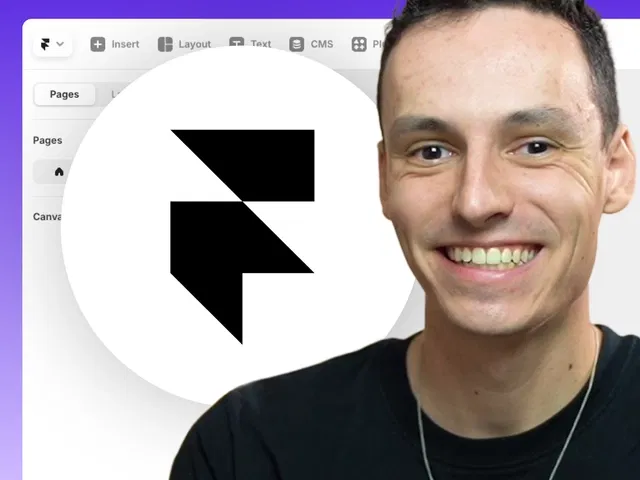
Ultra-fast 18-minute crash course — ideal for getting started without overwhelm
100% no-code — everything via visual editor, properties panel, and native tools
Includes duplicatable starter project for active follow-along
Focuses on core fundamentals: editor mastery, layout, styling, responsiveness, publishing
Emphasizes publishing your first site quickly to build momentum
Ryan Hayward's clear, encouraging teaching style — perfect for newcomers
Builds strong foundation before moving to templates, CMS, animations, etc.
#What is This Video Course?
"Framer Basics" is a fast-paced, beginner crash-course video framer resource created by Ryan Hayward on the Framer Marketplace. In this concise video (exactly 18 minutes long), Ryan provides a complete introduction to Framer fundamentals, guiding viewers from zero to publishing their first simple site — all with zero code and hassle-free steps. The format features live screen recording inside the Framer editor, clear voiceover narration, real-time building demos, and visual explanations of every tool and concept. It includes an "Open project" link to duplicate a starter or follow-along project so you can practice simultaneously. The core promise: "Master Framer in under 20 minutes" — perfect for absolute newcomers wanting to understand the editor, build basic sections, grasp layout essentials, and launch a live site quickly.
#What You’ll Learn ⚡
Navigating and understanding the Framer Editor interface (canvas, layers panel, properties, toolbar, etc.)
Building basic sections and frames: adding elements, organizing hierarchy, using Stacks for layout flow
Core layout basics: auto-layout, spacing, alignment, responsive stacking, and breakpoints (desktop/tablet/mobile)
Styling fundamentals: colors, typography (fonts, sizes, weights), shadows, borders, gradients, and visual polish
Adding common elements: text blocks, images, buttons, icons, and simple interactions (e.g., hover states)
Making designs responsive: switching breakpoints, tweaking mobile views, ensuring readability and tap targets
Publishing your first site: one-click publish to a free Framer domain, basic sharing tips
Workflow essentials: layer naming, duplicating for safety, quick testing, and avoiding early frustration
#Who Is This For?
Absolute beginners who just signed up for Framer and feel overwhelmed by the editor or don't know where to start
New users wanting a rapid overview of Framer fundamentals before diving into templates or advanced features
People transitioning from tools like Figma/Webflow who need to grasp Framer's no-code canvas and layout system quickly
Aspiring creators or designers aiming to build and publish their first simple site (portfolio landing page, personal bio, etc.) in under 20 minutes
Visual learners who prefer watching a full crash-course video with live building over reading long text guides
Anyone inspired by Framer Marketplace content but needing the absolute basics first to build confidence
#Course Structure Breakdown
Introduction & Welcome — Quick hook: why Framer is powerful and easy, overview of what you'll build and publish in 18 minutes.
The Framer Editor Tour — Live walkthrough of the interface: canvas navigation, layers panel, properties inspector, toolbar tools, preview mode.
Building Sections & Frames — Adding first elements, using Frames/Stacks for structure, basic hierarchy and organization tips.
Layout Basics Deep Dive — Auto-layout essentials: direction (horizontal/vertical), spacing, alignment, wrapping, responsive behavior.
Styling & Content — Applying colors, fonts, text styles, images, buttons; quick visual polish techniques.
Responsiveness & Breakpoints — Switching to tablet/mobile views, adjusting layouts, ensuring mobile-friendly design.
Publishing & Final Touches — One-click publish to free domain, basic testing, encouragement to iterate.
Wrap-up & Next Steps — Recap of key fundamentals; tips to keep practicing; links to more advanced tutorials.
Frequently Asked Questions
Is this suitable for total Framer newbies?
Yes — designed exactly for people starting from zero; explains every click and concept clearly.
How long is the video?
Exactly 18 minutes — a true crash course, fast-paced but easy to follow.
Do I need to duplicate a project?
Yes — the tutorial links an "Open project" starter so you can build alongside the video.
Framer Basics
18-minute video crash course teaching Framer basics from zero
Resource Types :

Have a product?
Submit your Framer product to AllFramer, get featured, and drive genuine traffic while showcasing your work to the world. Turn your creativity into revenue and begin selling today! 🚀
Submit Resource





