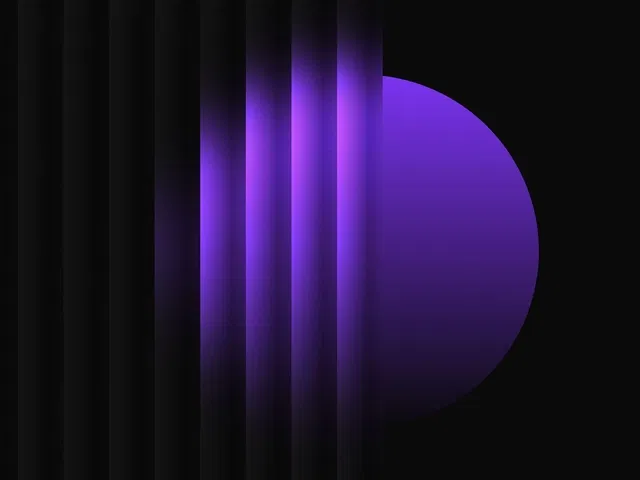
Authentic fractal noise generation for organic, non-repeating glass texture
Classic glassmorphic styling (backdrop blur, transparency, subtle border highlights)
Gentle animated movement (slow panning or breathing scale) for living background effect
Refraction/distortion layer for realistic light-bending look
Fully responsive—effect scales and adapts across all devices and breakpoints
Native Framer tools (noise filter, backdrop-filter, variants, scroll/animation) for no-code/low-code build
Narrated video with live canvas demo, filter settings zooms, motion tuning, and real-time preview testing
#What is This Course?
"Fractal Glass Effect" is a free video tutorial on the Framer Marketplace, created by a creative designer/animator (community-featured contributor). This framer resource intermediate-level video shows how surprisingly easy it is to build a beautiful animated fractal glass component in just a few steps—combining fractal noise, glassmorphism, blur, refraction, and subtle motion for an ethereal, luxurious feel. Delivered through narrated screen recordings with live canvas construction, zooms on noise/filter settings, backdrop-blur controls, variants for animation states, and real-time preview testing, it covers noise texture creation, glass layering, refraction simulation, gentle panning/breathing animation, and final polish. Video length is likely 8–15 minutes (typical for Marketplace effect tutorials), with clear pacing and pause-friendly steps for quick replication. No duplicatable project is explicitly noted in listings, but the tutorial is designed for direct hands-on building in your own Framer canvas. It’s especially valuable for designer-developers who want cutting-edge visual texture—adding depth, sophistication, and subtle life to hero backgrounds, overlays, cards, or any premium UI element.
#What You’ll Learn ⚡
Generating organic fractal noise texture as the base for realistic glass
Building classic glassmorphic look (backdrop blur, semi-transparency, subtle borders/highlights)
Adding refraction/distortion layer for believable light-bending effect
Creating gentle animated movement (slow pan or breathing scale) using variants or scroll effects
Combining all layers into a reusable component with smooth, performant animation
Styling and tweaking for brand match (colors, intensity, speed) across light/dark modes
#Who Is This For?
This video tutorial is perfect for Framer users chasing high-end, experimental visuals—ideal if your backgrounds feel flat or you want that luxurious animated glass effect seen on premium sites.
Skill Level: Intermediate—assumes comfort with layers, filters, and basic animation
Prior Knowledge Needed: Basic Framer frames, backdrop-filter, variants/interactions
Use Case 1: Hero sections, full-screen overlays, or modal backgrounds with living texture
Use Case 2: Feature cards, pricing tables, or dashboard panels needing premium depth
Pain Point Solved: Generic backgrounds lack personality—add animated fractal glass for instant luxury
Pain Point Solved: Glass effects feel static—make them breathe and move subtly
Bonus Fit: Designers building creative agencies, SaaS, portfolios, or experimental sites
#Course Structure Breakdown
This video tutorial flows as a live, narrated build-along—screen recording with canvas zooms, filter/noise panel focus, layering walkthrough, animation setup, and real-time preview testing for easy pausing/replication.
Intro / Recap / Problem Statement: Hooks with the stunning appeal of animated fractal glass, explains why it feels premium and modern, promises a few easy steps to achieve it
Main Demo Sections: Create base noise layer (fractal/perlin), add glassmorphic overlay (backdrop-blur, transparency), layer refraction/distortion
Key Live Examples or Walkthroughs: Set up subtle animation (slow pan or breathing scale via variants/scroll), tune timing/easing, preview movement
Tips / Best Practices: Balance blur intensity for readability, optimize noise scale for performance, test on devices, use variables for theming, keep layers minimal
Wrap-up / Encouragement: Shows final animated fractal glass component in context, celebrates luxurious immersive feel, and encourages applying to your own designs
Frequently Asked Questions
How do you generate fractal noise without external tools?
Framer’s built-in noise filter (or gradient + noise overlay) approximates fractal/perlin—tutorial shows the simplest native method for realistic texture.
Can I animate the fractal pattern itself?
Yes—slowly animate noise offset or scale for breathing effect; video likely includes this optional advanced step.
Will heavy blur and noise slow down the site?
Minimal impact when kept reasonable—Framer optimizes backdrop-filter; guide advises balancing intensity and testing performance.
Fractal Glass Effect
Craft a mesmerizing animated fractal glass component
Resource Types :
Featured Framer Resources
Add Featured Product



Have a product?
Submit your Framer product to AllFramer, get featured, and drive genuine traffic while showcasing your work to the world. Turn your creativity into revenue and begin selling today! 🚀
Submit Resource





