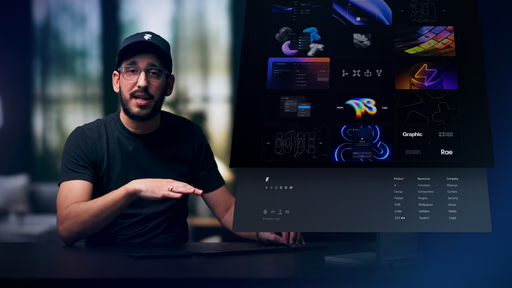
Clean, no-hack workflow for a fixed footer that stays tucked away until content scrolls to reveal it
Precise control over positioning, layering, and scroll behavior using Framer's native tools
Real-page demos showing the effect in action for immediate visual understanding
Key settings breakdowns to fine-tune appearance and avoid common pitfalls
Remix project access so you can duplicate, tweak, and experiment right away
#What is This Video Course?
"Creating a Fixed Footer Reveal in Framer" is a focused, practical lesson from the Framer team in the standalone Academy tutorials, running at 6:25 for efficient yet thorough coverage. Published on February 4, 2026 (still very current as of March 05, 2026), this framer resource demystifies the popular "reveal from behind" footer trend seen on premium sites—where the footer hides until the very bottom, creating layered depth and a satisfying scroll payoff. Delivered through narrated screen recordings with clear, step-by-step live demos, it emphasizes a simple pattern using layout structure, fixed positioning, and scroll-aware behavior. The lesson includes a remix project for hands-on practice, making it super valuable for designer-developers who want to add sophisticated interactions without overcomplicating prototypes or risking performance hits.
#What You’ll Learn ⚡
The exact layout structure and stacking order needed to keep the footer hidden behind content until scroll reveals it
How to apply fixed positioning with precise pinning (left/right/bottom anchors) for viewport-locked behavior
Scroll-specific techniques and key settings that control the smooth reveal timing and feel
Ways to apply this effect across real pages while maintaining clean UX and avoiding overlap or clipping issues
Best-practice tweaks for polish, like layering depth, responsiveness, and performance optimization
#Who Is This For?
This lesson is ideal for Framer users ready to elevate their site designs with trendy, high-end interactions—especially if you've seen cool reveal footers elsewhere and want to recreate them natively.
Skill Level: Intermediate—assumes comfort with Framer's canvas, layers, and basic positioning
Prior Knowledge Needed: Familiarity with frames, fixed positioning, and scroll sections; no code or advanced overrides required
Use Case 1: Adding a sleek, modern footer to portfolio, agency, or product sites for that premium scroll experience
Use Case 2: Enhancing long-form landing pages where revealing CTAs or contact info at the end feels intentional and engaging
Pain Point Solved: Struggling to make footers feel dynamic instead of static or awkwardly overlapping content
Pain Point Solved: Avoiding messy hacks or third-party solutions that bloat your project or hurt load times
Bonus Fit: Designers prototyping client work who need quick, impressive micro-interactions to wow stakeholders
#Course Structure Breakdown
This 6:25 video keeps momentum high with a logical, demo-driven flow—narrated screen shares zoom in on every crucial step, making it feel like a personal walkthrough you can pause and replicate.
Intro / Recap / Problem Statement: Hooks immediately with the "revealed from behind" effect many notice on polished sites, then explains why it adds depth and polish without complexity
Main Demo Sections: Walks through the core setup: building the layout structure (stacking content over footer), applying fixed positioning with anchor pins, and configuring scroll behavior so the reveal happens naturally at the bottom
Key Live Examples or Walkthroughs: Applies the technique live on real page examples, showing the before/after scroll effect, how content uncovers the footer smoothly, and adjustments for different page lengths
Tips / Best Practices: Highlights critical settings (positioning options, z-index/layering, overflow handling) to get the timing and look just right, plus notes on responsiveness and performance wins
Wrap-up / Encouragement: Wraps by showcasing the final polished result, stresses the simplicity of the pattern, and directs you to remix the project to start building your own variations
Frequently Asked Questions
What's the main difference between a regular fixed footer and this reveal version?
A standard fixed footer stays visible at the bottom always; this reveal version starts hidden behind the content and only appears as you scroll near the end, creating layered depth and a more intentional UX moment.
Do I need code overrides or scroll transforms for this effect?
No—the lesson uses pure Framer-native tools like fixed positioning, pinning, and layout stacking for a clean, no-code solution that stays performant.
How do I prevent the footer from overlapping or clipping content awkwardly?
Key settings around z-index, overflow, and exact anchor pins (left/right/bottom at 0) ensure proper layering—the video demos what to watch for and how to test on real pages.
Creating a fixed footer reveal
Add that polished, modern depth to your sites with a footer
Resource Types :

Have a product?
Submit your Framer product to AllFramer, get featured, and drive genuine traffic while showcasing your work to the world. Turn your creativity into revenue and begin selling today! 🚀
Submit Resource





