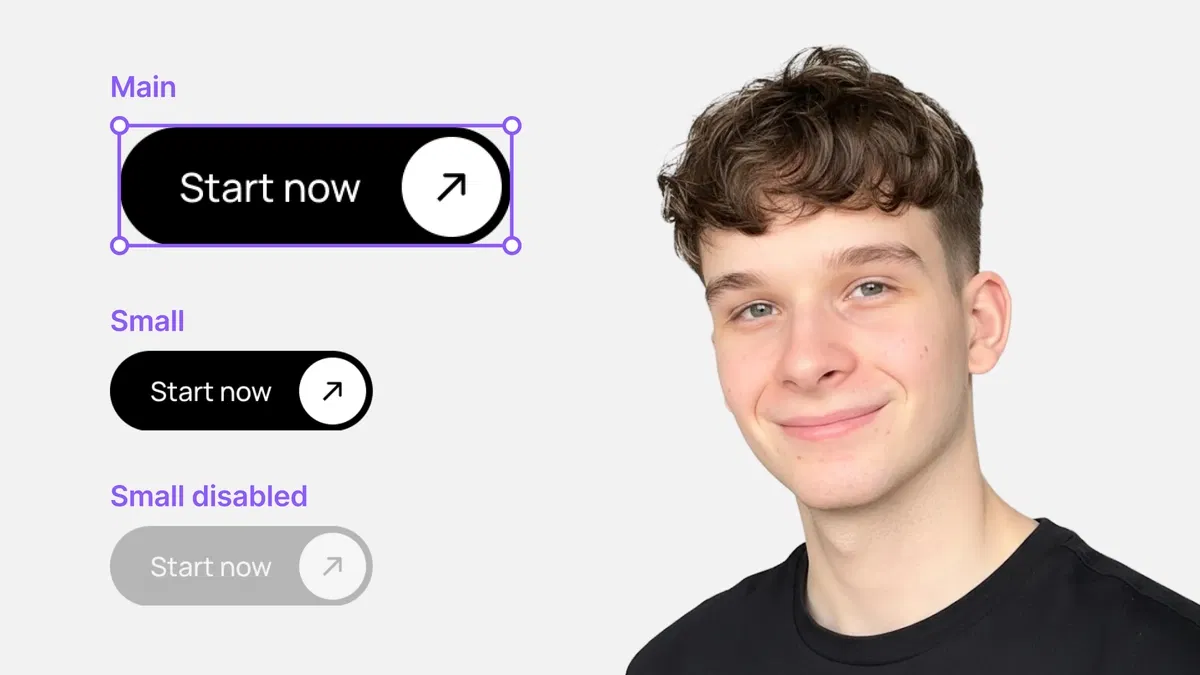
Clear definitions and visuals of core component concepts (master, instance, overrides, variants, props)
Practical examples showing how components save time and ensure consistency
Explanation of overrides (what changes safely, what affects the master)
Introduction to variants and props for dynamic, reusable behavior
Text-based guide with Framer-specific terminology and editor references for immediate clarity
#What is This Course?
"Components Explained" is a free, text-based tutorial (likely 5–10 minutes reading time, structured as a concise explanatory article) on the Framer Marketplace, created by Adam Sebesta. This framer resource serves as the foundational "aha" moment for template users and beginners—explaining components as the building blocks that make Framer scalable and efficient. The guide covers: what a component is (reusable group), master vs. instance, safe overrides, variants for states, props for customization, and best practices for organization. Presented as an educational article with definitions, examples, and tips, it uses Framer's component panel and canvas to illustrate concepts. No video runtime or duplicatable project is explicitly noted (series often links to template starters), but it's designed for instant understanding while working in any Framer project. It's invaluable for new Framer users transitioning from "just editing" to "building with intelligence"—unlocking the full power of reusable design systems.
#What You’ll Learn ⚡
The difference between master components and instances, and why changes to masters affect all copies
How overrides work—safely customizing instances without breaking the original component
Setting up and using variants to create different states (e.g., hover, active, disabled) for interactive elements
Defining and exposing props so others (or future you) can customize components easily
Best practices for naming, organizing, and maintaining components for clean, scalable projects
#Who Is This For?
This tutorial is essential for Framer beginners or template users ready to level up—perfect if components feel mysterious or you've been editing everything manually.
Skill Level: Complete beginner to components—starts from zero knowledge
Prior Knowledge Needed: Basic Framer canvas and element selection; no prior component experience assumed
Use Case 1: Understanding and customizing pre-built components in Marketplace templates
Use Case 2: Starting to create your own reusable buttons, cards, navs, or sections
Pain Point Solved: Accidental breakage from wrong edits—learn safe overrides and master/instance rules
Pain Point Solved: Repetitive design work—unlock reusability with variants and props
Bonus Fit: Anyone in Adam Sebesta's "How to Use Framer Templates" series progressing toward building custom systems
#Course Structure Breakdown
This text-based tutorial flows as a logical, educational guide—easy to read while exploring your Framer project, with an intro on component power and clear sections.
Intro / Recap / Problem Statement: Hooks with why components are Framer's superpower (consistency, speed, scalability), recaps series progress, and promises a clear explanation
Main Demo Sections: Core concepts: what is a component (reusable group), master vs. instance (source vs. copies), overrides (safe instance changes)
Key Live Examples or Walkthroughs: Explains variants (multiple states in one component) and props (exposed controls for customization), with Framer panel examples
Tips / Best Practices: Highlights naming conventions, organization (folders, layers), when to detach vs. override, and maintenance tips
Wrap-up / Encouragement: Reinforces components as the path to pro-level design—encourages experimenting in your template and moving to next lessons
Frequently Asked Questions
What's the difference between editing a master and an instance?
Master is the original blueprint—changes there update all instances; instance edits are overrides that only affect that copy—the tutorial explains safe vs. global changes.
When should I use variants instead of separate components?
Use variants for related states of the same element (e.g., button: default/hover/active)—keeps everything in one place for easier maintenance.
Do I need to understand props right away?
Not immediately—the guide introduces them gently; props become powerful when you start creating your own reusable components.
Components Explained
Demystify Framer components once and for all
Resource Types :
Featured Framer Resources
Add Featured Product



Have a product?
Submit your Framer product to AllFramer, get featured, and drive genuine traffic while showcasing your work to the world. Turn your creativity into revenue and begin selling today! 🚀
Submit Resource





