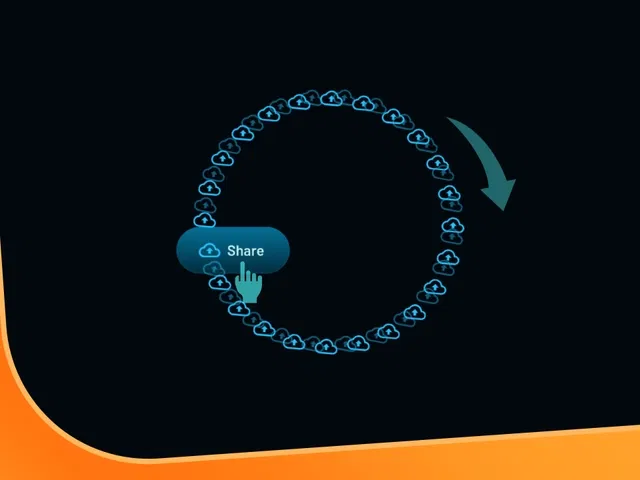
Smooth 360° circular icon rotation triggered on button hover
Precise motion control using variants, rotate transform, and spring-based easing
Centered rotation origin for perfect circular path
Subtle hover feedback (scale, shadow, or color shift) combined with rotation
Reusable component setup for easy placement across buttons or icons
Narrated video with live canvas demo, variants panel focus, and real-time hover testing
#What is This Course?
"Circular Hover" is a free video tutorial on the Framer Marketplace, created by a skilled designer/animator (community-featured creator). This framer resource engaging, intermediate-level video walks through building a delightful hover interaction: when users hover over a button, an icon (or multiple icons) rotates smoothly in a circular path, creating a playful yet polished micro-animation. Delivered through narrated screen recordings with live canvas construction, zooms on variants panel, transform settings, and hover interaction setup, it covers icon placement, rotation origin centering, variant-based animation, spring easing tuning, and combining with other hover effects. Video length is likely 8–15 minutes (typical for Marketplace micro-interaction tutorials), with pause-friendly pacing for following along. No duplicatable project is explicitly noted in listings, but the tutorial is designed for direct replication in your Framer canvas. It's especially valuable for designer-developers who want interactive CTAs or icons to feel alive—adding modern, delightful feedback that makes sites more memorable and engaging.
#What You’ll Learn ⚡
Positioning icons precisely inside a button with centered rotation origin
Creating hover variants that trigger smooth 360° rotation using transform rotate
Applying spring-based easing and timing for natural, bouncy circular motion
Combining rotation with other hover effects (scale lift, shadow glow, color shift)
Setting up the reusable interaction on any button or icon component
#Who Is This For?
This video tutorial is perfect for Framer users adding personality to interactive elements—ideal if your buttons or icons feel static or you want that premium hover delight.
Skill Level: Intermediate—assumes comfort with variants and interactions
Prior Knowledge Needed: Basic Framer components, hover triggers, transform properties
Use Case 1: Enhancing CTA buttons, social icons, nav items, or card hovers in portfolios or landing pages
Use Case 2: Adding playful micro-interactions to SaaS dashboards, product cards, or creative sites
Pain Point Solved: Boring hover states—add circular rotation for instant visual interest
Pain Point Solved: Jerky or unnatural motion—tune spring easing for buttery feel
Bonus Fit: Designers inspired by modern UI trends wanting Framer-native recreation of circular hover effects
#Course Structure Breakdown
This video tutorial flows as a live, narrated build-along—screen recording with canvas zooms, variants panel focus, motion curve tuning, and real-time hover previews for easy pausing/replication.
Intro / Recap / Problem Statement: Hooks with the cool factor of rotating circular icons on hover, explains why it feels premium and engaging, outlines the build goal
Main Demo Sections: Set up button component, place icon(s) inside, center rotation origin, create hover variant with rotate transform
Key Live Examples or Walkthroughs: Apply spring easing/timing to rotation, combine with scale/shadow/color changes, test hover in preview
Tips / Best Practices: Tune damping/stiffness for natural spin, use 360° or 720° for multiple rotations, ensure icon alignment, keep performance light
Wrap-up / Encouragement: Shows final circular hover animation in action, highlights delight and polish, and encourages experimenting with your own icons/buttons
Frequently Asked Questions
How do I make the icon rotate in a perfect circle?
Set the rotation origin to center (50% 50%) on the icon or parent frame—tutorial shows exact alignment steps.
What easing makes the rotation feel natural?
Spring physics (custom damping/stiffness) or ease-out—video demos values for bouncy yet controlled spin.
Can I make multiple icons rotate together?
Yes—group icons in a frame, apply rotation to the group, or stagger slightly with delays for fun effect.
Circular Hover
Add a mesmerizing circular rotation animation to icons on button hover
Resource Types :
Featured Framer Resources
Add Featured Product



Have a product?
Submit your Framer product to AllFramer, get featured, and drive genuine traffic while showcasing your work to the world. Turn your creativity into revenue and begin selling today! 🚀
Submit Resource





