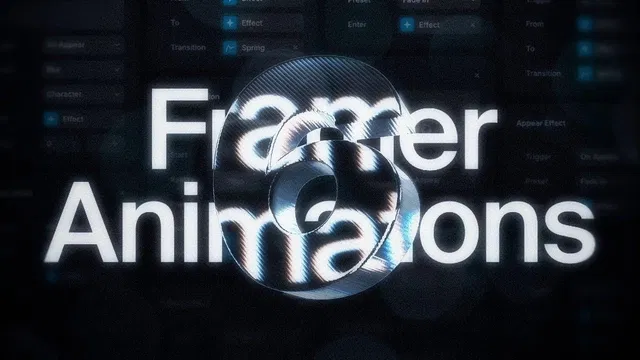
Completely no-code — everything done via Framer’s animation panel and interaction settings
Includes duplicatable starter project for immediate hands-on practice
Focuses on simplicity: click → choose preset → tweak sliders → preview instantly
Covers popular triggers: page load (appear), hover, scroll position
Emphasizes performance-friendly motion: short durations, subtle easing, no heavy effects
Visual-first learning: perfect for seeing motion curves, timing, and results live
#What is This Video Course?
"Animate Framer Sites" is a concise, beginner-to-intermediate video framer resource created by Nandi on the Framer Marketplace. In this short video (estimated 8–12 minutes), Nandi walks through 6 super simple no-code ways to add beautiful, professional animations to any Framer website using only Framer’s built-in animation tools — no code, no external libraries, no complexity. The format includes live screen recording, clear voiceover narration, real-time previews of each effect, and step-by-step clicking and tweaking so viewers can see exactly how settings affect motion. It comes with a duplicatable starter project so you can follow along, pause, and experiment in your own Framer workspace immediately.
#What You’ll Learn ⚡
6 practical, no-code animation techniques you can apply right away using Framer’s native animation panel
How to create scroll-triggered reveals that bring sections or elements into view smoothly as users scroll
Adding elegant hover effects (scale, shadow, color shifts) on buttons, cards, images, and interactive elements
Making elements appear with fade-ins, slight delays, or staggered entrances when the page loads
Using stagger and group animations to make lists, galleries, or repeated items feel alive and coordinated
Adjusting key settings live: duration, easing curves (ease-in-out, bounce, etc.), delay, scroll offsets, and trigger points
Combining multiple effects (e.g., scroll + hover + stagger) for rich, premium-feeling motion without performance hits
#Who Is This For?
Complete beginners in Framer who have built static pages and want to add that “wow” factor quickly
Intermediate users remixing Marketplace templates who feel their designs look flat and need easy motion upgrades
Designers and creators building portfolios, landing pages, SaaS marketing sites, or client projects who want animations to feel modern and engaging
Visual learners who prefer watching live demos and seeing real-time previews over reading long written steps
Anyone intimidated by animation tools in other software but comfortable clicking in Framer’s interface
Followers of Nandi’s tutorials or anyone exploring the Framer Marketplace animation category
#Course Structure Breakdown
Quick Intro & Motivation — Brief welcome, why subtle animations transform sites, and fast teaser of the 6 techniques — all achievable without writing a single line of code.
Live Demo of 6 Animation Methods — Core of the video: screen-recorded walkthrough showing each technique step-by-step:
Method 1: Simple appear-on-load fades for hero text or images
Method 2: Hover scale + shadow or color transitions on buttons/cards
Method 3: Scroll-triggered section or element reveals
Method 4: Staggered entrances for lists, features, or gallery items
Method 5: Text/word-by-word or line-by-line animations
Method 6: Combined effects (e.g., scroll reveal + hover interaction)
Settings Deep Dive — Real-time adjustments: changing duration, picking easing curves, adding delay, staggering groups, setting scroll triggers/offsets.
Follow-Along Encouragement — Repeated prompts to duplicate the starter project (linked in tutorial) and try each animation yourself in Framer.
Quick Tips & Polish — Advice on keeping animations short/subtle, testing on mobile, avoiding performance drag, and balancing motion for best UX.
Wrap-up & Next Steps — Recap of all 6 methods; encouragement to experiment; links to more of Nandi’s tutorials or related Marketplace resources.
Frequently Asked Questions
Is this video suitable for absolute Framer beginners?
Yes — assumes only basic familiarity with selecting elements and using the properties panel; animations are added with simple clicks.
How long is the video?
Exact length not listed, but similar Marketplace video tutorials are typically 8–15 minutes — concise and demo-focused.
Do I need to duplicate a project to follow along?
Highly recommended — the tutorial provides a starter project link so you can pause and replicate each animation live.

Have a product?
Submit your Framer product to AllFramer, get featured, and drive genuine traffic while showcasing your work to the world. Turn your creativity into revenue and begin selling today! 🚀
Submit Resource





