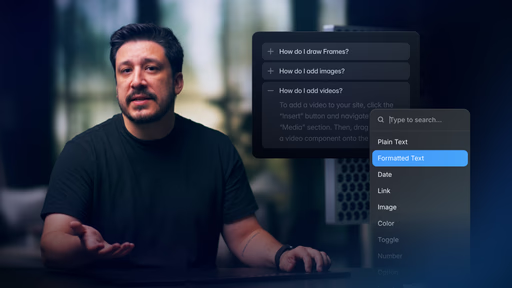
Workflow for embedding inline links in component text using formatted text and overrides
Clear explanation of override compatibility: what works reliably vs. common breakage on plain text
Styling and management of inline links within dynamic components (e.g., accordions, cards)
Live demos on real pages showing overrides preserved alongside clickable links
Included remix project for duplicating the example and hands-on experimentation
Narrated screen recordings with practical focus on key settings for smooth results
#What is This Video Course?
"Adding Inline Links as Overrides in Framer" is a targeted quick-tip lesson from Framer Academy, created by the Framer team and running at 4:26 for efficient, high-value learning. This framer resource solves the frequent challenge of making inline phrases clickable in reusable components without losing override flexibility or forcing workarounds. Delivered through narrated screen recordings with step-by-step demos, real-page applications, and emphasis on key settings that influence behavior, it highlights a practical workflow using formatted text to enable reliable links. A remix project lets you fork the starter immediately for practice. It's a game-changer for designer-developers building accordions, FAQs, feature lists, or any rich-text components that need embedded navigation while keeping designs consistent and performant.
#What You’ll Learn ⚡
Adding inline links to Framer components using overrides combined with formatted text for clickable phrases
When link overrides succeed reliably and why they often fail or break when applied directly to plain text layers
How to style and manage inline links effectively inside components like accordions for cohesive design
A proven practical workflow to implement inline links while fully preserving component overrides
Key settings to monitor that ensure proper link behavior, cleaner user experience, and better overall site performance
#Who Is This For?
This lesson is perfect for Framer users creating editable, link-rich components—especially if inline links have caused override conflicts or design inconsistencies in your projects.
Skill Level: Intermediate—builds on component and override basics
Prior Knowledge Needed: Experience with Framer overrides, variants, formatted/rich text, and simple components (e.g., accordions)
Use Case 1: Accordions or expandable sections where terms like "Learn more" or legal references need to link out
Use Case 2: Feature cards, testimonials, or blog excerpts with inline hyperlinks for better flow and navigation
Pain Point Solved: Links overriding or disappearing in variants—use formatted text to keep them stable
Pain Point Solved: Tedious workarounds for clickable text in components—get a native, maintainable solution
Bonus Fit: Teams handing off components to clients/editors who need to add/update links easily without breaking layouts
#Course Structure Breakdown
This compact 4:26 video delivers a focused, demo-heavy flow—narrated screen shares zoom on text properties, override panels, and canvas results for clear, replicable steps.
Intro / Recap / Problem Statement: Starts with the common inline link challenge in components, introduces overrides + formatted text as the fix, and outlines coverage (when overrides work/break, styling, workflow)
Main Demo Sections: Explains override behavior differences (success on components vs. breakage on text), then demos enabling formatted text, inserting inline links, and applying overrides correctly
Key Live Examples or Walkthroughs: Applies the method live to a component example (e.g., accordion)—adds styled links, tests in context, and places on real pages while overrides stay intact
Tips / Best Practices: Calls out key settings (formatting options, link styling, override targeting) throughout to prevent issues and optimize UX/performance
Wrap-up / Encouragement: Shows the finished inline-linked component in action, stresses benefits for cleaner designs, and directs to the remix project for immediate hands-on building
Frequently Asked Questions
Why do overrides for links sometimes fail on text elements?
Plain text layers don't reliably support link overrides—the lesson explains this limitation and demonstrates switching to formatted text as the stable solution for inline hyperlinks.
How can I link only certain words in a longer text block?
Enable formatted text in the component's text property, select phrases, add URLs inline, then ensure overrides apply at the component level without overriding the formatted content.
Does this work well in accordions or collapsible components?
Yes—the tutorial uses accordions as a prime example; links remain functional in both collapsed and expanded states while overrides handle variants smoothly.
Adding Inline Links as Overrides
Embed clickable inline links seamlessly inside your Framer
Resource Types :
Featured Framer Resources
Add Featured Product



Have a product?
Submit your Framer product to AllFramer, get featured, and drive genuine traffic while showcasing your work to the world. Turn your creativity into revenue and begin selling today! 🚀
Submit Resource





