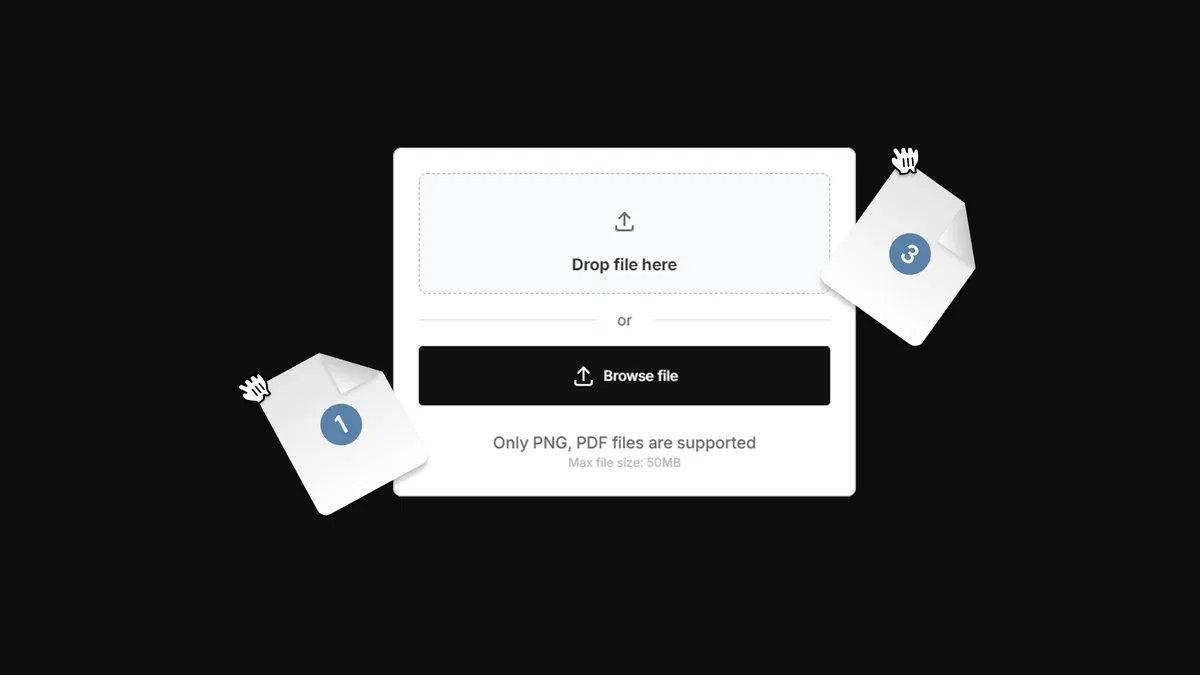
Custom file upload input creation for Framer forms using native tools and integrations
Direct connections to popular storage providers (Google Drive, Cloudinary, Supabase, Cloudflare R2) for secure, owned file handling
Support for various file types (images, documents, resumes) without Framer's built-in restrictions
Practical workflow to maintain full data ownership and avoid size/performance limitations
Text-based tutorial with clear steps, examples, and setup instructions for seamless implementation
#What is This Course?
"Add File Upload Form" is a free, text-based tutorial on the Framer Marketplace. This Framer resource solves the key limitation of Framer's native forms—no built-in file uploads—by teaching how to build and integrate a custom file input that connects to external storage services for reliable file collection. Structured as a practical guide with an introduction explaining the need for dedicated storage (data ownership, no size caps), followed by step-by-step instructions on setup, integration, and usage. No video runtime or duplicatable project is explicitly detailed in listings, but the tutorial is designed for direct application in your Framer projects with minimal setup (e.g., API keys for providers). It's highly valuable for designer-developers building application forms, support portals, creative submissions, or any site needing file attachments while keeping everything no-code and performant.
#What You’ll Learn ⚡
Building a custom file upload input component for Framer forms using native elements and integrations
Connecting the upload field to storage providers like Google Drive, Cloudinary, Supabase, or Cloudflare R2 for secure file handling
Configuring file types, limits, and upload behavior to match your use case (e.g., resumes, images, docs)
Implementing the full workflow from input design to successful submission and storage without complex code
Best practices for maintaining data ownership, bypassing native Framer form limitations, and ensuring smooth UX
#Who Is This For?
This tutorial is perfect for Framer users who need file attachments in forms but are blocked by native limitations—ideal if you're building real-world applications that require documents or media uploads.
Skill Level: Intermediate—assumes comfort with Framer forms, components, and basic integrations
Prior Knowledge Needed: Familiarity with Framer's form builder and simple API connections (e.g., keys for storage services)
Use Case 1: Job application or recruitment sites collecting resumes, portfolios, or cover letters
Use Case 2: Support/contact forms where users upload screenshots, logs, or evidence
Pain Point Solved: Native Framer forms lacking file upload—add it reliably with external storage
Pain Point Solved: Loss of control over uploaded files—own your data via direct provider connections
Bonus Fit: Freelancers or agencies delivering feature-rich forms for clients without backend dev
#Course Structure Breakdown
This text-based tutorial flows as a practical, step-by-step article—ideal for following along in Framer with an intro on why file uploads matter and detailed instructions for implementation.
Intro / Recap / Problem Statement: Explains the importance of file collection in modern sites (resumes, images, docs) and why native Framer forms fall short—introduces dedicated storage for ownership and unlimited size
Main Demo Sections: Core guide: setting up a custom file upload input, configuring the component (file types, visuals), and integrating with storage providers (Google Drive, Cloudinary, Supabase, Cloudflare R2)
Key Live Examples or Walkthroughs: Walks through connecting to each provider (API keys, endpoints), testing uploads, and handling submissions in real form scenarios
Tips / Best Practices: Highlights key setup choices (file limits, security, UX polish like previews/progress), common pitfalls, and why these integrations outperform embeds
Wrap-up / Encouragement: Reinforces the benefits of full control and no-code power—encourages applying to your forms for more capable, professional submissions
Frequently Asked Questions
Why can't Framer's native forms handle file uploads directly?
Framer prioritizes simplicity and speed for basic forms; file handling requires storage backend which this tutorial adds via integrations—no native support yet, but easy to extend.
Which storage providers work best with this method?
All listed—Google Drive (simple), Cloudinary (media-focused with transformations), Supabase (full backend), Cloudflare R2 (cost-effective storage)—choose based on your needs; tutorial covers setup for each.
Do I need coding knowledge or API experience?
Minimal—mostly copy-paste keys and endpoints; the guide keeps it no-code/low-code with clear steps for beginners in integrations.
Add File Upload Form
Add professional file upload capabilities to forms without coding
Resource Types :
Featured Framer Resources
Add Featured Product



Have a product?
Submit your Framer product to AllFramer, get featured, and drive genuine traffic while showcasing your work to the world. Turn your creativity into revenue and begin selling today! 🚀
Submit Resource





