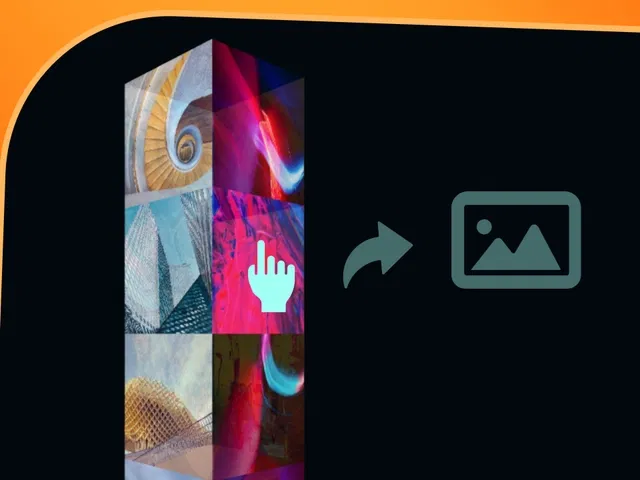
True 3D lightbox overlay with perspective and depth on open
Prismatic/glassmorphic styling (blur, refraction, subtle color shifts)
Smooth entrance/exit animations with scale, rotate, and translate
Parallax tilt on hover or mouse movement inside lightbox
Responsive image grid trigger that opens full-screen 3D view
Native Framer tools (lightbox component, 3D transforms, variants, interactions) for no-code/low-code build
Narrated video with live canvas demo, lightbox setup, 3D panel zooms, and real-time testing
#What is This Course?
"3D Lightbox Gallery" is a free video tutorial on the Framer Marketplace, created by a skilled designer/animator (community-featured creator). This framer resource intermediate-to-advanced video teaches how to combine Framer’s lightbox feature with 3D transforms to create a prismatic, depth-filled gallery experience—images open in a floating 3D overlay with glass-like effects, subtle parallax, and cinematic motion. Delivered through narrated screen recordings with live building, zooms on lightbox settings, 3D transform panel, variants for states, and interaction triggers, it covers grid setup, lightbox activation, 3D depth layering, prismatic styling (blur, gradients), parallax tilt, and smooth animations. Video length is likely 12–25 minutes (typical for advanced Marketplace 3D/UI tutorials), with pause-friendly pacing for replication. No duplicatable project is explicitly noted in listings, but the tutorial is designed for direct hands-on building in your own Framer canvas. It’s especially valuable for designer-developers crafting standout visual portfolios—adding depth, interactivity, and premium polish that makes image galleries unforgettable.
#What You’ll Learn ⚡
Setting up a responsive image grid that triggers Framer’s lightbox on click
Transforming the lightbox overlay into a 3D floating panel with perspective and depth
Creating prismatic/glassmorphic effects using blur, backdrop-filter, gradients, and subtle refraction layers
Adding parallax tilt (mouse or device orientation) inside the open lightbox for immersive feel
Designing smooth open/close animations (scale, rotateY/X, opacity) with spring easing
Combining 3D transforms, variants, and interactions for a polished, native 3D gallery experience
#Who Is This For?
This video tutorial is perfect for Framer users building visual-first sites—ideal if your galleries feel flat or you want that high-end 3D wow factor.
Skill Level: Intermediate to advanced—assumes comfort with lightbox, 3D transforms, and variants
Prior Knowledge Needed: Basic Framer components, interactions, lightbox feature, and some animation experience
Use Case 1: Photography, design, or art portfolios with immersive image viewing
Use Case 2: Product showcases, case studies, or creative agency sites needing standout galleries
Pain Point Solved: Standard lightboxes look basic—add 3D depth and prismatic effects for premium feel
Pain Point Solved: Static galleries lack engagement—introduce parallax and cinematic transitions
Bonus Fit: Designers inspired by Awwwards-level 3D galleries wanting Framer-native recreation
#Course Structure Breakdown
This video tutorial flows as a live, narrated build-along—screen recording with canvas zooms, lightbox settings focus, 3D transform panel walkthrough, variants setup, and real-time hover/click previews for easy pausing/replication.
Intro / Recap / Problem Statement: Hooks with the magic of 3D prismatic lightboxes, explains why depth + refraction feels premium, outlines the final gallery effect
Main Demo Sections: Build responsive image grid, add lightbox trigger, configure overlay as 3D panel (perspective, transforms)
Key Live Examples or Walkthroughs: Create prismatic styling (blur, gradients, refraction layers), add parallax tilt (mouse move), design open/close animations (scale/rotate/opacity)
Tips / Best Practices: Set accurate rotation origins, tune spring easing for cinematic feel, optimize images for load, test on devices, ensure accessibility (keyboard focus)
Wrap-up / Encouragement: Shows final 3D lightbox gallery in action (grid → open → tilt → close), celebrates immersive impact, and encourages customizing for your images
Frequently Asked Questions
How does the 3D effect work without WebGL or code?
Framer’s native 3D transforms (rotateX/Y/Z, perspective) + variants/interactions create the illusion—tutorial uses pure no-code/low-code.
Can I add multiple images to the lightbox carousel?
Yes—Framer lightbox supports galleries; video likely shows linking multiple grid images to a shared lightbox with next/prev.
Yes—use device orientation (if enabled) or fallback to touch drag; tutorial covers responsive/mobile tweaks.
3D Lightbox Gallery
Elevate your image galleries to cinematic 3D brilliance
Resource Types :
Featured Framer Resources
Add Featured Product



Have a product?
Submit your Framer product to AllFramer, get featured, and drive genuine traffic while showcasing your work to the world. Turn your creativity into revenue and begin selling today! 🚀
Submit Resource





