Two-layer image overlay system
Multiple blend modes for creative effects
Adjustable opacity for subtle or bold textures
Works with grain, gradients, and patterns
Fully responsive image rendering
Free component for Framer projects
#What is Product?
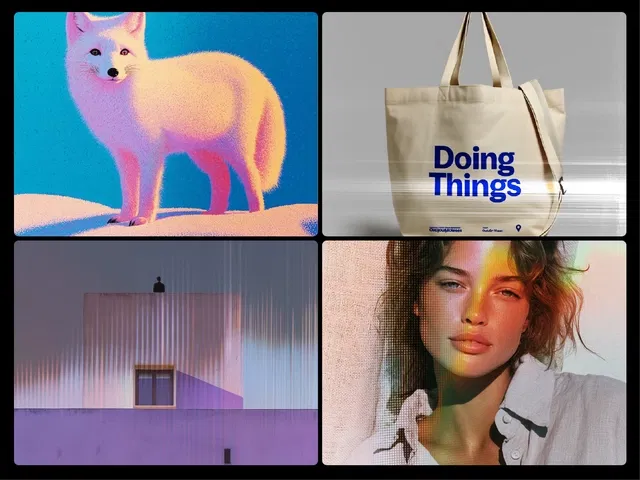
Image Overlay Effect is a visual styling framer component that allows designers to combine a base image with an overlay texture such as grain, film dust, patterns, or gradients. By using blend modes and opacity controls, the component can create a wide variety of artistic effects ranging from subtle film grain to bold poster-style textures.
When used in websites built with Framer, the component makes it easy to maintain a consistent visual style across hero images, product shots, case studies, and editorial layouts. Designers can quickly experiment with different textures and blending modes to create polished art direction without editing images externally.
#Features ⚡
Two-Layer Image System: Combine a base image with an overlay effect image.
Multiple Blend Modes: Includes Multiply, Screen, Overlay, Soft Light, Hard Light, Color Dodge, and more.
Opacity Control: Adjust intensity from subtle grain to dramatic texture effects.
Flexible Image Sizing: Supports Cover, Contain, and Fill modes with position control.
Responsive Rendering: Automatically adapts to different screen sizes.
Design Consistency: Helps maintain consistent art direction across images.
#Included Components/Templates
The component provides flexible overlay controls through Framer’s property panel.
Image Overlay Effect Component: Core layered image system.
Base Image Settings: Select the primary image or artwork.
Effect Image Layer: Add textures like grain, noise, or gradients.
Blend Mode Controls: Choose from various blending styles.
Opacity Slider: Adjust visual intensity of the overlay.
Image Position & Size Controls: Configure Cover, Contain, or Fill behavior.
#Pricing 💸
Image Overlay Effect follows a free component model.
Free Download: Available at no cost on the Framer marketplace.
Unlimited Usage: Use in both personal and commercial projects.
No Subscription Required: Install and use immediately.
#Integrations 🧰
Image Overlay Effect works especially well in visual design-focused Framer websites.
Hero section images
Product photography layouts
Portfolio galleries
Case study thumbnails
Blog and editorial covers
Frequently Asked Questions
Is Image Overlay Effect free to use?
Yes, it is completely free. You can use it in any Framer project.
What does the overlay layer do?
It adds textures like grain, patterns, or gradients on top of your image.
Can I control how strong the effect looks?
Yes, the opacity slider allows subtle or strong visual effects.
Featured Framer Resources
Add Featured Product



Have a product?
Submit your Framer product to AllFramer, get featured, and drive genuine traffic while showcasing your work to the world. Turn your creativity into revenue and begin selling today! 🚀
Submit Resource