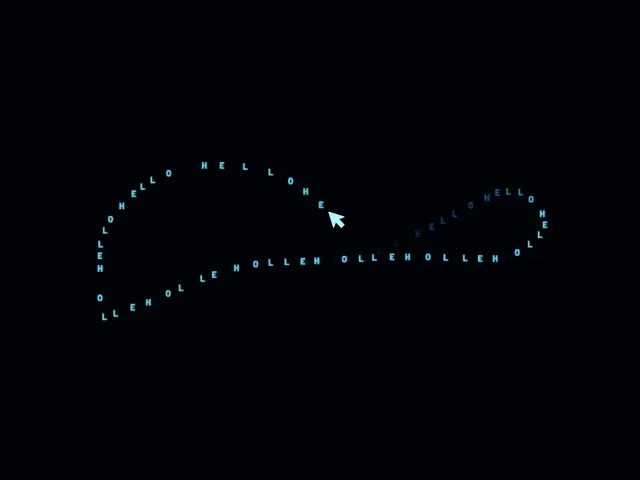
Interactive cursor trail effect using animated text
Adds playful motion to websites and hero sections
Customizable text, speed, and visual behavior
Great for creative and experimental UI designs
Easy to add and customize inside Framer
#What is Cursor Trail Text?
Cursor Trail Text is an interactive Framer component that creates animated text trails that follow the user’s cursor as it moves across the screen. This playful visual effect adds personality and motion to websites, making user interactions feel more engaging and dynamic. Designers can customize the displayed text and adjust various behavior settings to match their design style. It’s particularly useful for creative portfolios, experimental landing pages, and interactive hero sections where subtle motion can enhance the overall experience.
#Features ⚡
Cursor Text Trail Effect: Displays animated text that follows the cursor path across the screen.
Interactive Motion Design: Adds dynamic movement and playful interaction to user navigation.
Customizable Text: Easily modify the words or phrases used in the cursor trail.
Adjustable Animation Behavior: Control trail speed, spacing, and visual timing.
Lightweight Implementation: Designed to run smoothly without affecting site performance.
Framer-Friendly Setup: Easily add the component and customize it using Framer controls.
#Included Components
The component includes tools to create animated text trails in Framer projects.
Cursor Trail Text component
Text customization controls
Cursor motion tracking system
Animation timing and spacing controls
#Pricing 💸
Cursor Trail Text is available with a simple pricing structure.
Free Component: Complete access to the cursor text trail effect and customization options.
#Integrations 🧰
Cursor Trail Text integrates smoothly with Framer-based websites.
Framer website builder
Framer hero sections and landing pages
Framer interactive backgrounds
Framer creative portfolio websites
Frequently Asked Questions
What does the Cursor Trail Text component do?
It creates animated text trails that follow the user’s cursor as it moves across the page.
Can I change the text used in the trail?
Yes. The component allows you to customize the text that appears in the cursor trail.
Where can this effect be used?
It works well in hero sections, creative portfolios, landing pages, and interactive website experiences.
Cursor Trail Text
Text trail animations following the cursor
Resource Types :
Featured Framer Resources
Add Featured Product



Have a product?
Submit your Framer product to AllFramer, get featured, and drive genuine traffic while showcasing your work to the world. Turn your creativity into revenue and begin selling today! 🚀
Submit Resource