Framer Toggle Components
Explore interactive Framer Toggle components built for seamless state switching, clean UI, and customizable designs.
Explore Toggle
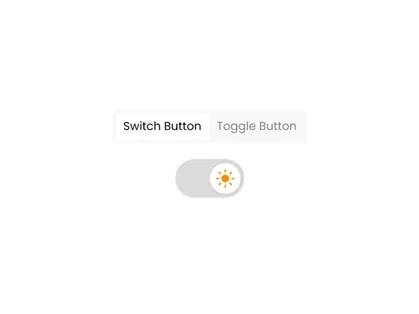
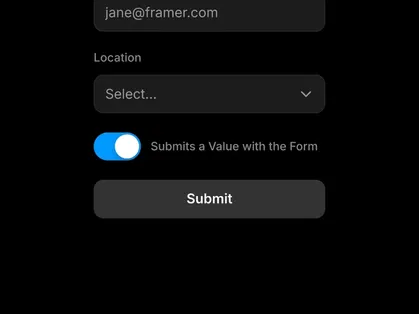
Explore Interactive Framer Toggle Components at All Framer
Enhance user interaction with premium Framer Toggle Components at All Framer. Designed for pricing switches, feature comparisons, theme controls, settings panels, and interactive content sections, these components help you create dynamic experiences with minimal layout complexity.
Whether you’re building a SaaS pricing page or a modern landing page with interactive elements, Toggle Framer Components provide a clean and intuitive solution.
What Are Framer Toggle Components?
Framer Toggle Components are interactive UI elements that allow users to switch between two or more states. With a simple click or tap, users can toggle content, pricing plans, feature sets, or design themes without leaving the page.
Common use cases include:
Monthly vs yearly pricing switches
Light and dark mode toggles
Feature comparison views
Content display variations
Settings controls
Interactive product demos
These components are fully customizable and integrate seamlessly within Framer projects.
Why Use Framer Toggle Components?
Create interactive user experiences
Simplify pricing comparisons
Improve content organization
Reduce page clutter
Enhance usability with instant state changes
Maintain a clean and modern design
Framer Toggle Components are ideal for adding functionality while keeping layouts structured.
Key Features of Framer Toggle Components
Multi-State Switching - Toggle between two or more content variations seamlessly.
Smooth Transition Effects - Animated state changes for a polished user experience.
Customizable Design Controls - Flexible typography, colors, sizes, and layout styling.
Pricing & Feature Comparison Support - Ideal for subscription and plan comparison sections.
Interactive State Indicators - Clear visual feedback for active selections.
Responsive & Performance Optimized Design - Mobile-friendly functionality with smooth performance.
Who Should Use Framer Toggle Components?
SaaS startups
Subscription-based businesses
Agencies designing landing pages
Product marketers
Dashboard builders
Businesses offering tiered services
If your website requires interactive comparisons or multi-view content sections, Framer Toggle Components are ideal.
Why Choose All Framer for Toggle Components?
At All Framer, we curate high-quality Framer Toggle Components that focus on:
Clean and modern UI
Practical interactivity
Easy customization
Responsive adaptability
Performance-focused implementation
Our collection helps you add interactive elements to your website without complex development.
Add Smart Interactions to Your Website
Explore the curated collection of Framer Toggle Components at All Framer and build interactive, user-friendly content sections effortlessly.
Switch smarter. Compare better. Engage more.
Start exploring today at All Framer Club.
Frequently Asked Questions
Explore frequently asked questions about Toggle
Yes. Toggle components are commonly used to switch between monthly and yearly pricing plans.
Yes. Toggle components can be configured to switch between different content panels or layouts.
Have a product?
Submit your Framer product to AllFramer, get featured, and drive genuine traffic while showcasing your work to the world. Turn your creativity into revenue and begin selling today! 🚀
Submit Resource





