Framer Dropdown Components
Explore interactive Framer Dropdown components designed for clean menus, smooth interactions, and responsive user experiences.
Explore Dropdown
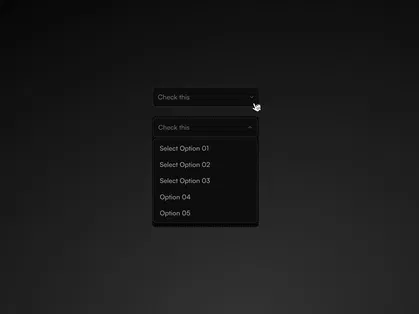
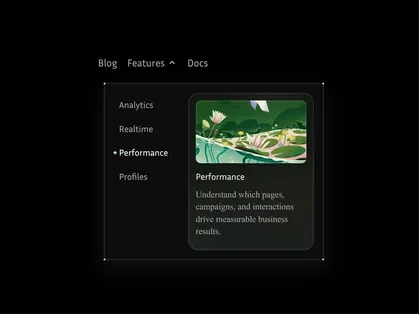
Explore Flexible Framer Dropdown Components at All Framer
Enhance navigation and interaction with premium Framer Dropdown Components at All Framer. Designed for menus, filters, selection inputs, dashboards, and content-rich websites, these Framer components help you organize options in a compact and user-friendly format.
Whether you're building a SaaS interface, ecommerce filter system, or a multi-level website navigation, Framer Dropdown Components provide a clean and scalable solution.
What Are Framer Dropdown Components?
Framer Dropdown Components are interactive UI elements that reveal additional options or content when clicked or hovered. They help conserve space while keeping navigation and selection systems organized.
Common use cases include:
Navigation menus
Category filters
Language selectors
Account menus
Form selection inputs
Action menus in dashboards
These components are fully customizable and integrate seamlessly into Framer projects.
Why Use Framer Dropdown Components?
Organize multiple options efficiently
Reduce visual clutter
Improve navigation clarity
Enhance user interaction
Maintain a clean layout structure
Create scalable menu systems
Framer Dropdown Components are ideal for websites that require structured selection or layered navigation.
Key Features of Framer Dropdown Components
Expandable Menu Structure - Smooth open and close behavior for organized navigation.
Customizable Styling Controls - Flexible typography, spacing, borders, and background options.
Hover & Click Interactions - Configurable triggers for different user experiences.
Multi-Level Support - Nested dropdown options for complex menu systems.
Form & Filter Integration - Ideal for selection inputs and filtering systems.
Responsive & Performance Optimized Design - Mobile-friendly layouts with smooth functionality.
Who Should Use Framer Dropdown Components?
SaaS platforms
Ecommerce brands
Agencies building client websites
Dashboard and admin panel creators
Content-heavy websites
Businesses offering multiple services or categories
If your website requires structured option selection or layered navigation, Framer Dropdown Components are essential.
Why Choose All Framer for Dropdown Components?
At All Framer, we curate high-quality Framer Dropdown Components that focus on:
Clean and modern UI
Practical usability
Easy customization
Responsive adaptability
Performance-focused implementation
Our collection helps you create organized and interactive navigation systems effortlessly.
Organize Options with Clarity
Explore the curated collection of Framer Dropdown Components at All Framer and build structured, user-friendly navigation and selection systems.
Simplify choices. Improve usability. Build professionally.
Start exploring today at All Framer Club.
Frequently Asked Questions
Explore frequently asked questions about Dropdown
Yes. You can modify typography, spacing, colors, borders, and interaction styles.
Yes. They are commonly used for selection inputs and filtering options.
Have a product?
Submit your Framer product to AllFramer, get featured, and drive genuine traffic while showcasing your work to the world. Turn your creativity into revenue and begin selling today! 🚀
Submit Resource





